
Event Hubs consist of sessions. Like the main hub event, sessions are themselves events that each have their own properties and settings.
There are two approaches to creating hub sessions:
- Create sessions from scratch within the hub
- Create the main hub event only, and add child events to it
Creating Sessions from Scratch with the Hub
Note: This article covers how to create hub sessions manually. Many schools prefer to upload sessions into a hub, particularly for larger events.
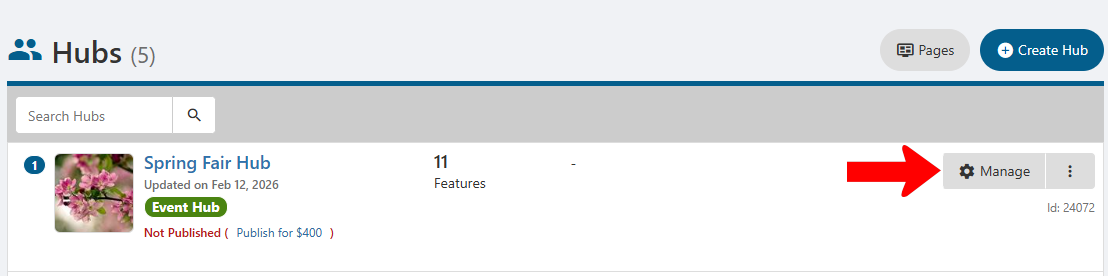
After creating the hub, click its Manage button.
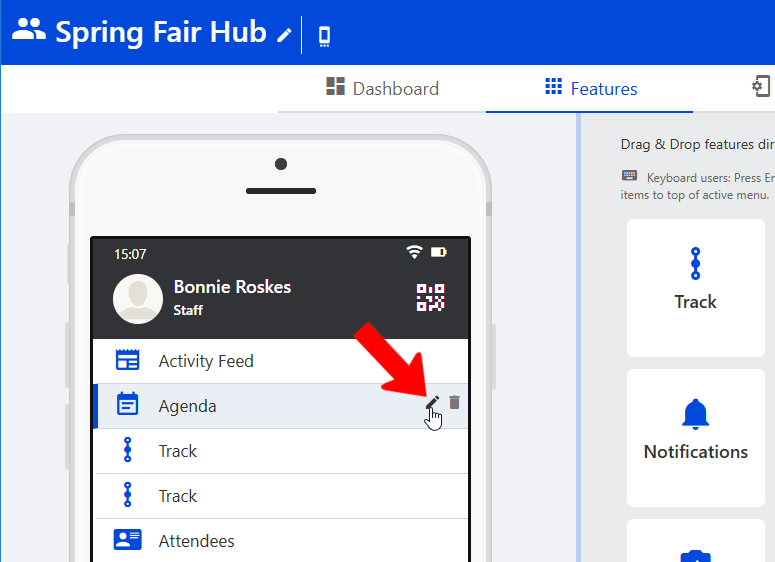
Find the Agenda hub menu item Hub Menu Items and click its Edit icon.
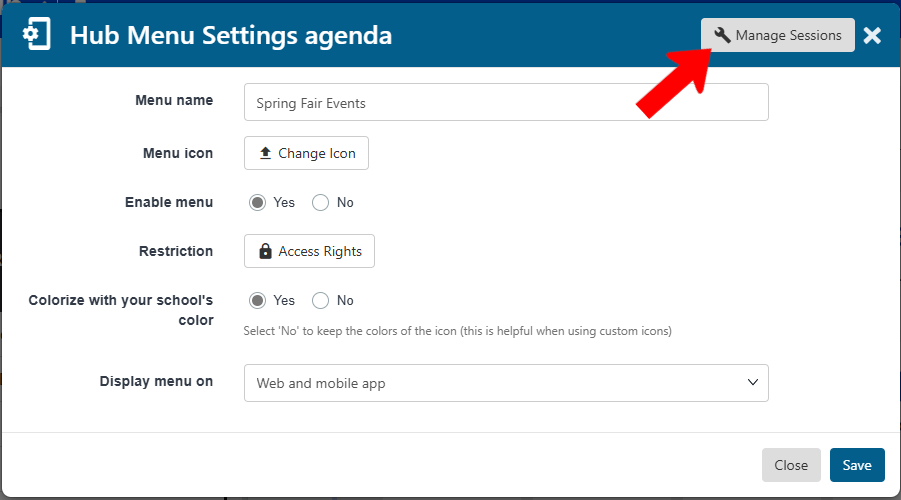
By default, this menu item will appear in the hub as “Agenda.” But in this popup you can change the name, in addition to other standard settings. Click Manage Sessions.
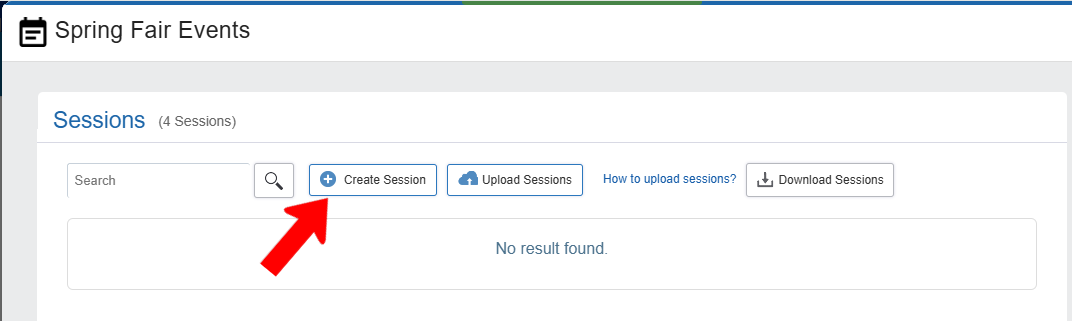
In the Sessions flyout, click Create Session.
Add a session title and type, optional description, start and end times, and location if known.
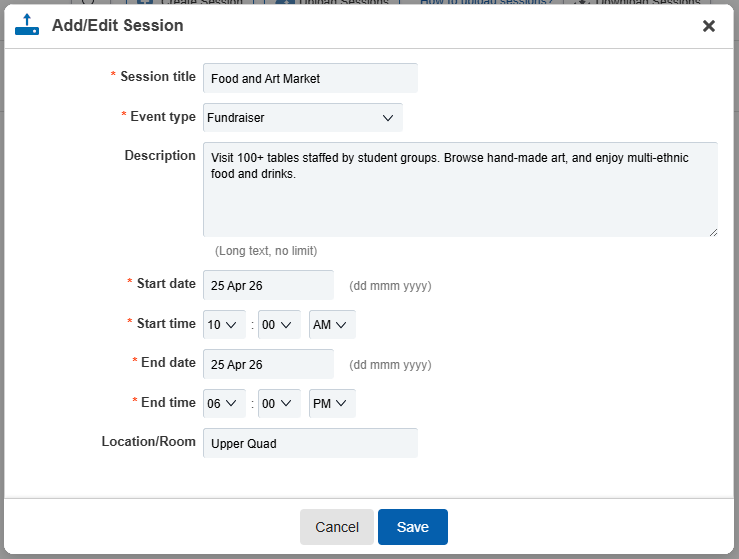
Note: By default, hub sessions do not require registration. You can change this registration options by finding the session in the Events list and editing its settings.
After saving, the session appears in the list. Each session has several icons on the right.
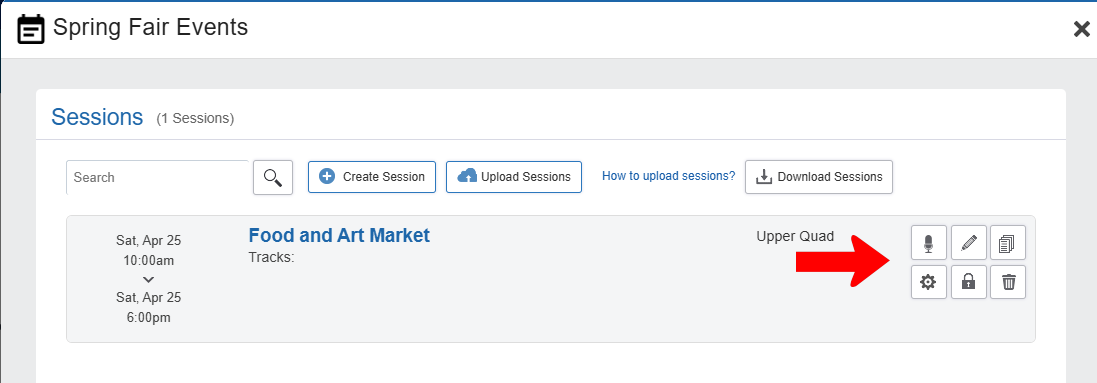
- Add Speaker
- Edit (name, type times)
- Duplicate: Makes a copy of the session which can then be edited
- Settings: Opens Edit Event page in a separate tab. This is where you can set all details you would see if you were creating this event Creating an Event from scratch, including registration options, photos and flyers, etc. (You can also edit the event from the Events list.)
- Access Rights
- Delete
After adding all sessions, close the Sessions flyout and save the Agenda menu.
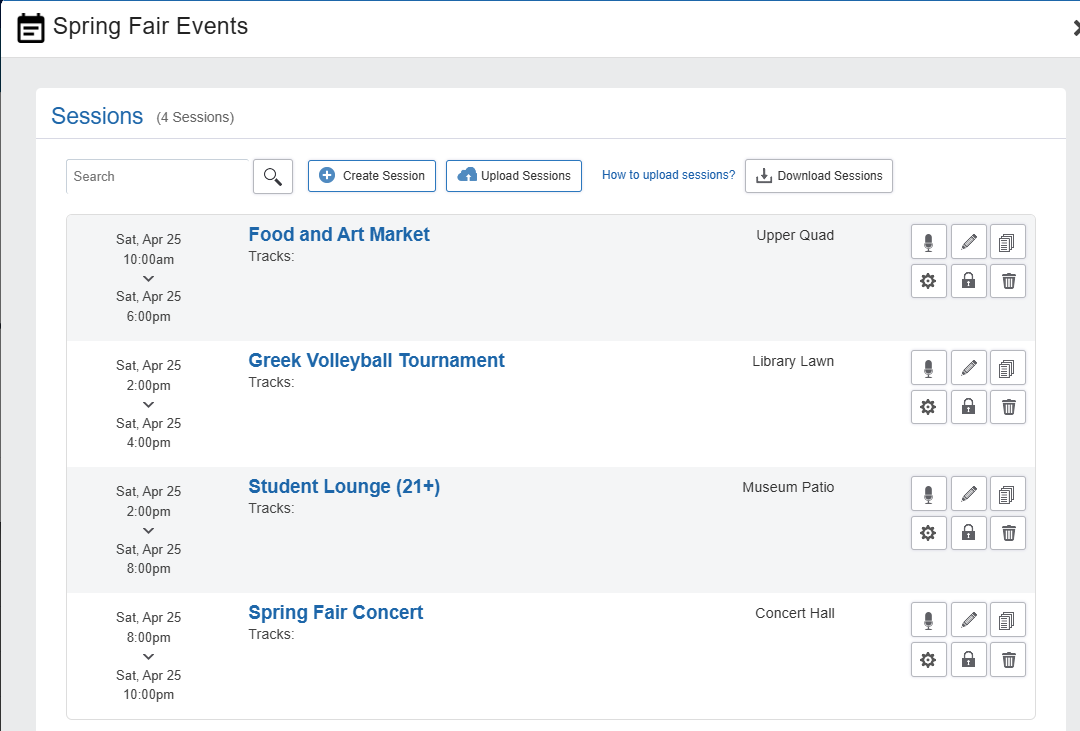
To preview the agenda, click Preview at the top.

Click the Agenda menu on the left to see the sessions on the right.
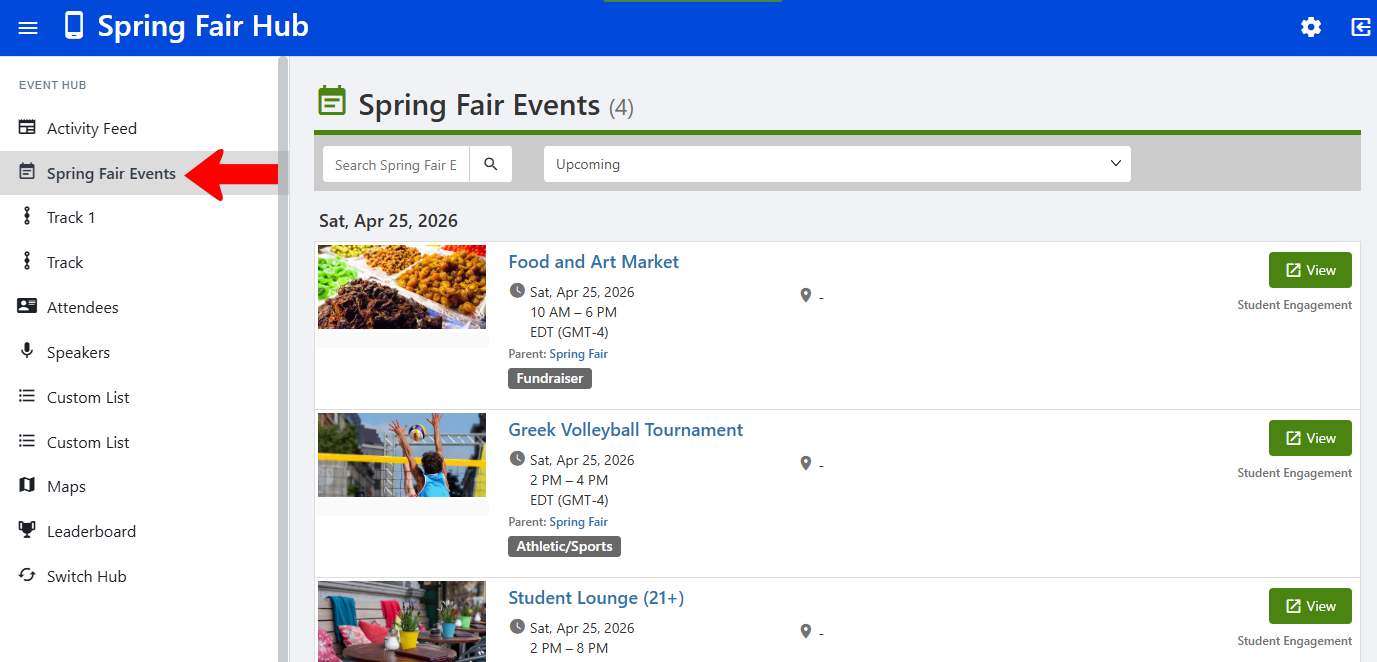
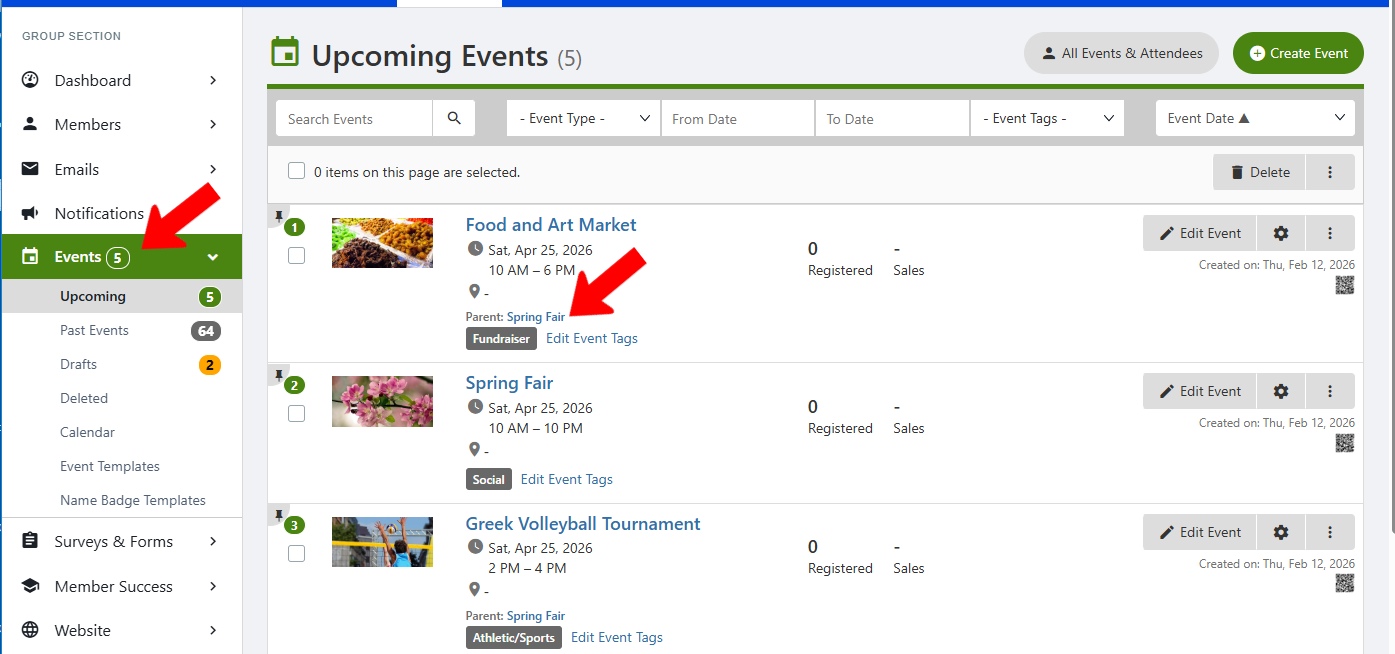
All sessions, plus the hub event, appear in the Events list. All events (other than the main hub event) have the hub event listed as their parent.
Creating Child Events of the Hub Event
If you create a child event of the main hub event, or edit an existing event to be a child event, the child event will be automatically added to the hub agenda. To make an event a child event, find it in the Events list and edit it, scroll down to Advanced Options Advanced Options for Events, and set the Parent event.

This means that you could create just the Event Hub (the main event) and not add sessions. Then you could add new or existing child events to the hub event, without needing to use the Manage Sessions option of the Agenda menu hub item.