
Your event has arrived, and it’s time to start checking-in attendees and tracking attendance.
Users who can perform event check-in include:
- Officers of the group hosting or co-hosting the event (with Manage Events permission)
- Users who are added as a team member for an event (mobile check-in only). Team members are set when creating the event Creating an Event, in the Organizing Team step.)
- Platform admins
There are several options for attendee check-in. You can choose to use one or more options.
- Check-In via Mobile App: Users are checked-in and by event organizers / staff using the mobile app
- Check-in via Computer: Users are checked-in and tracked by event organizers / staff using a computer
- Self Check-in via QR Code: Users check themselves in, by accessing the event QR code or URL with their mobile device
- Self Check-In via Kiosk: Users check themselves in at an unmanned kiosk
- Manual Check-in: Event organizers / staff check-in users via the event Attendees list
The methods above also enable attendance tracking: how many check-ins, no shows, check-outs, etc.
You can also track attendance from the Attendees list, by opening the attendance dashboard.
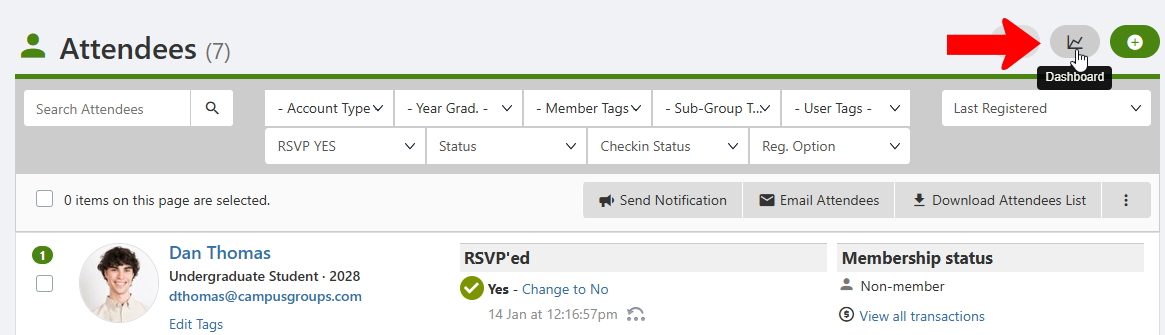
The dashboard provides numerous statistics on event attendance, including number of users and registrations, number checked in, and overall attendance rate.
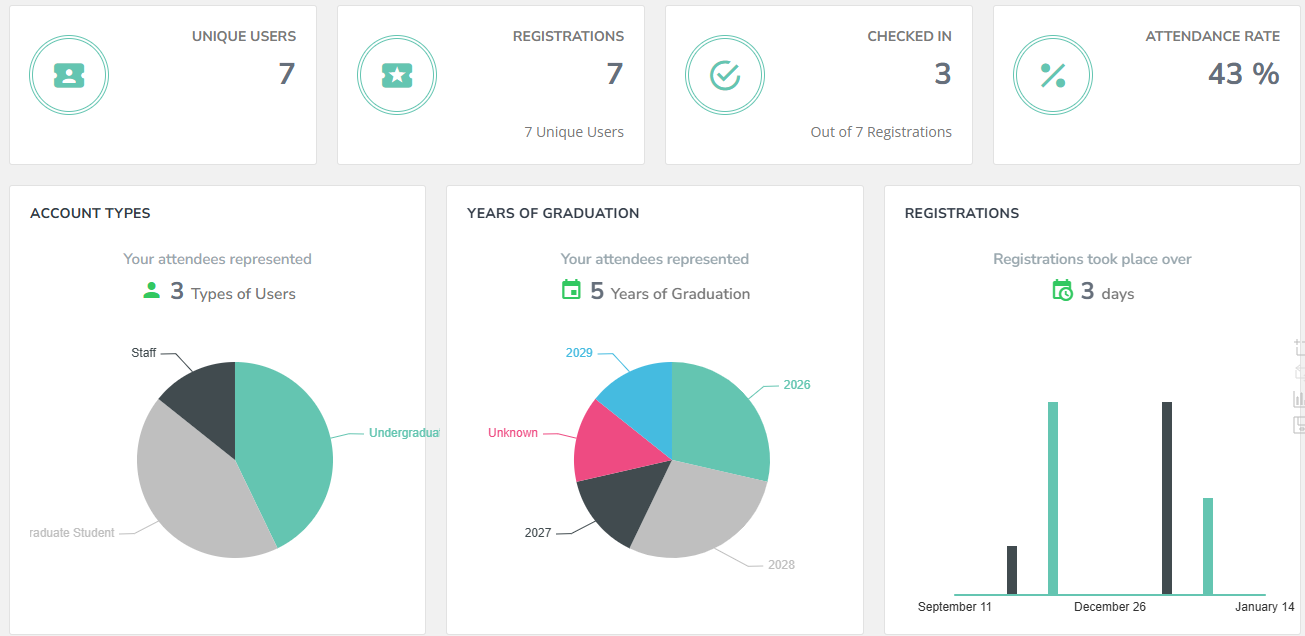
Other statistics include:
- Registrations by Account Types, year of graduation, and time
- Organizer stats (check-ins for team members)
- Check-ins over time
- Check-ins by method (QR code, kiosk, etc.)
- Self check in QR code (via app) refreshes every 30 sec to prevent double check in
- Self check kiosk (unmanned, enter card or type name)