
Working with events for admins is similar to what group officers can do Managing and Editing Your Event. The articles in this section cover additional, event-related features for admins only.
First, go over the fields on the Events tab of the General Settings, for completion and accuracy.
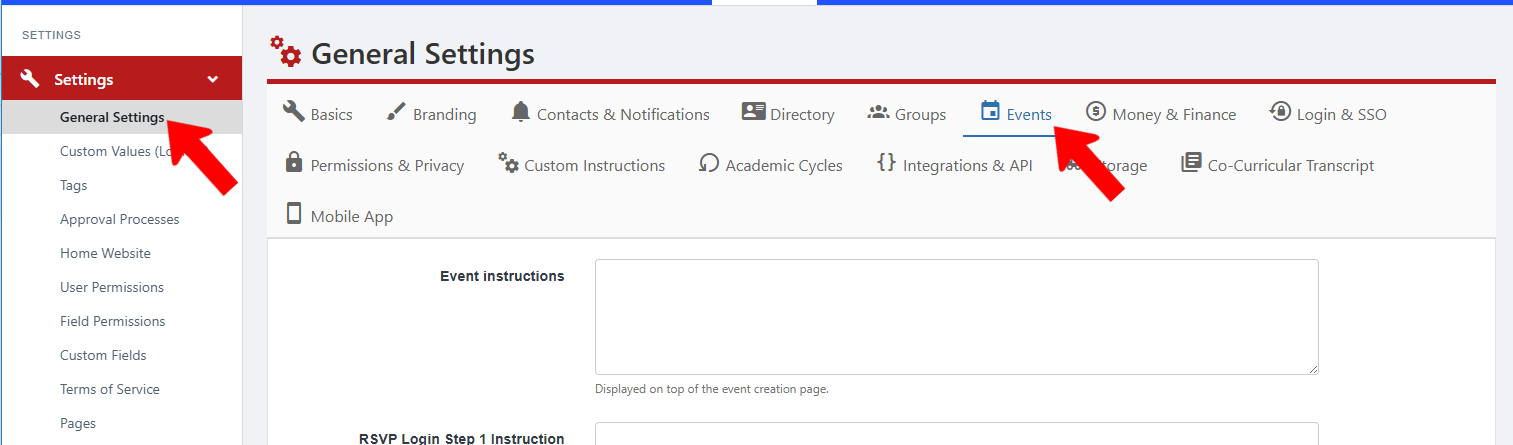
These important settings include instructions, dress codes, officer permissions, allowed use of the blank template, and more.
We also recommend the following steps:
- Create Event Types, which are Custom Values. Each event must be assigned one Event Type.
- Create Event Tags and Admin Event Tags. Admin tags are assigned by admins only; event tags can also be assigned by officers. An event can be assigned one or more tags.
- Configure Event Templates, if needed. When any user creates an event, they need to start from a template. Users can choose a blank template (unless this is disabled by an admin in the settings above), or choose an event template Event Templates created by an admin.
- If approvals are needed for officer-created events, configure event approval process for all relevant Group Types Event Approval Process.
To create an event as an admin, first manage the group All Groups List: Managing Groups hosting the event. Then the event creation process is the same as for officers. This is also true for Event Hubs.
Admins also have the ability to upload events.