
Note: The other type of hub is Event Hub, which can be created by admins and officers.
A Community Hub is a centralized landing page, for both web and mobile app, providing users with easy access to essential resources such as academic systems, student services, important forms, and upcoming events.
Each CampusGroup account comes with one Community Hub, named “Campus Hub” by default but can be renamed. This hub contains all users and groups.
Customizing the Community Hub Managing a Community Hub determines the options that users see on the left menu of the web version.
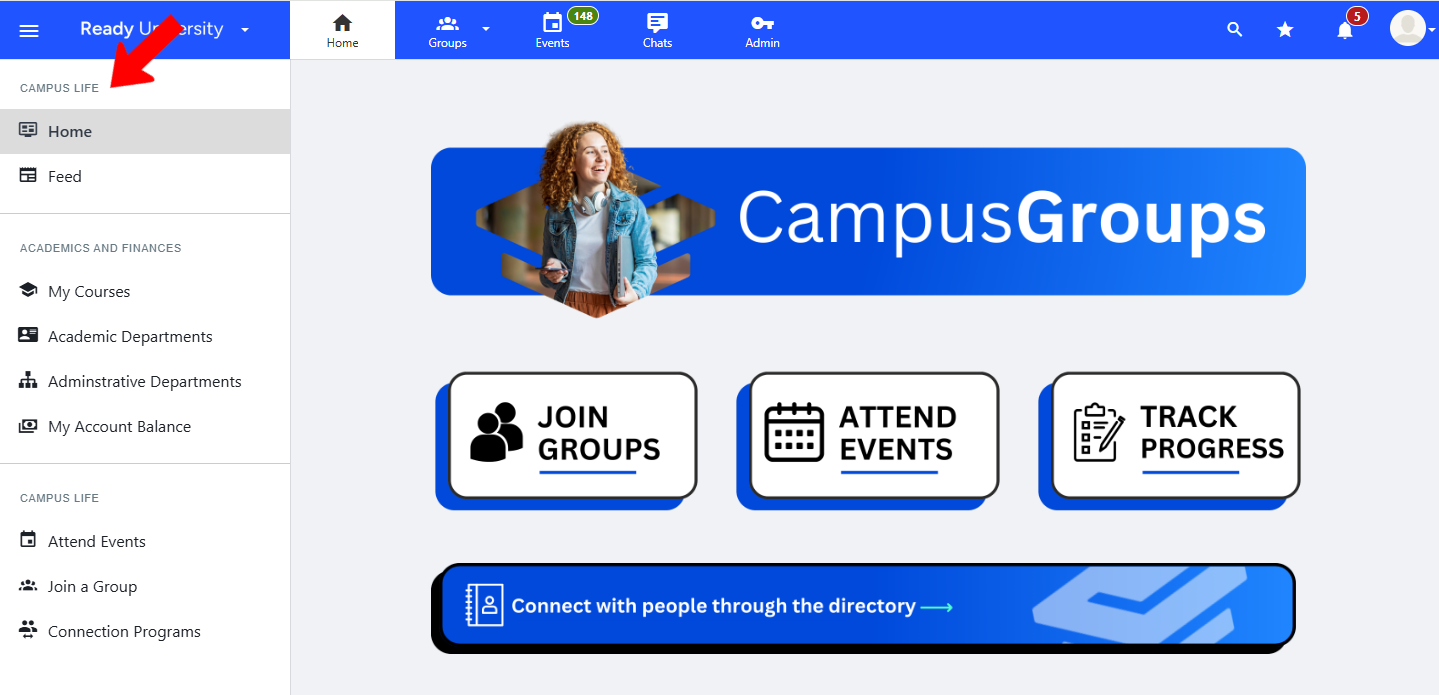
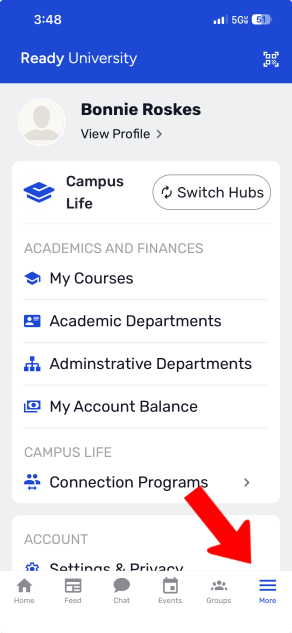
On the mobile app, the hub menu appears when the user taps More along the bottom.
Creating multiple hubs or partitioned hubs enables you to create different experiences for multiple audiences, such as:
- Online students or in-person students
- Residential students or commuter students
- Different colleges or departments, such as College of Nursing, Engineering Department, etc.
- Alumni or family members
Multiple hubs each include all groups. Hub entry is determined by Access Rights Hub Settings, which are configured in Hub Settings.
Partitioned hubs include selected groups and / or Group Types and/or Group Admin Tags.
To discuss setting up multiple or partitioned hubs for your school, reach out to your Client Success Manager. We can help you decide which option is best for you to meet your long-term needs.
If you have multiple or partitioned hubs, users can switch hubs on web via the drop-down at the top left.

On mobile, users can tap Switch Hubs in the Home screen or in the More screen.

Note: CampusGroups provides several ways to differentiate users What is CampusGroups?. Instead of creating multiple or partitioned hubs, some schools prefer to differentiate via User Tags. Read about the pros and cons of each method.