
This page has two functions: assigning platform access options to various user types, and creating bypass links for unverified users.
Note: There are separate permissions set for admins admin permissions.
Account Types
When configuring Account Types (which are Custom Values), each Account Type is assigned a Type - a specific level of access. In the example below, the Account Type Undergraduate Student has the Student type.
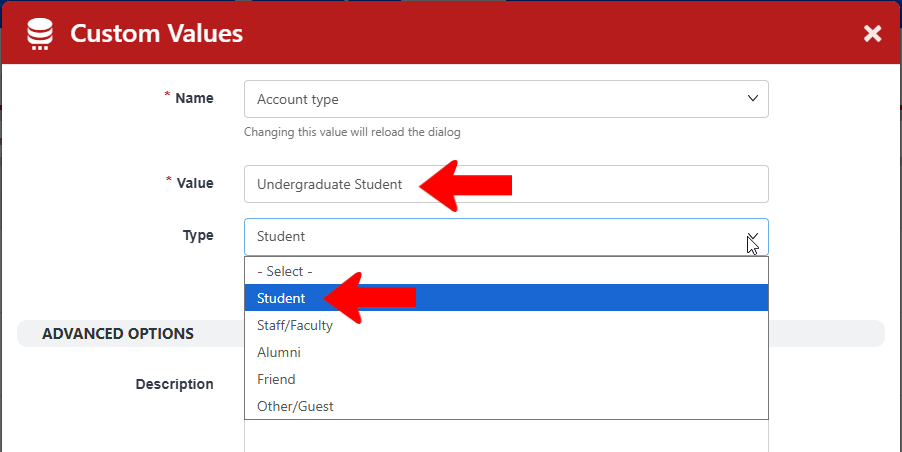
Users with Student or Staff / Faculty types are considered full users. But you may want to restrict certain parts of the platform to users with Alumni, Friend, Other/Guest, types, as well as unverified users.
Note: The Permissions & Privacy tab of the General Settings determines how new platform users can become Guest / Other users.
To access user permissions, switch to Admin mode if needed. Open Settings on the left, and choose User Permissions.
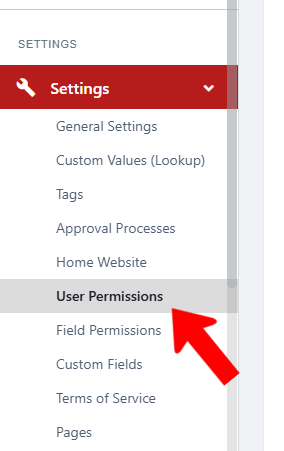
Under CANNOT, choose what users of various types cannot do on the platform.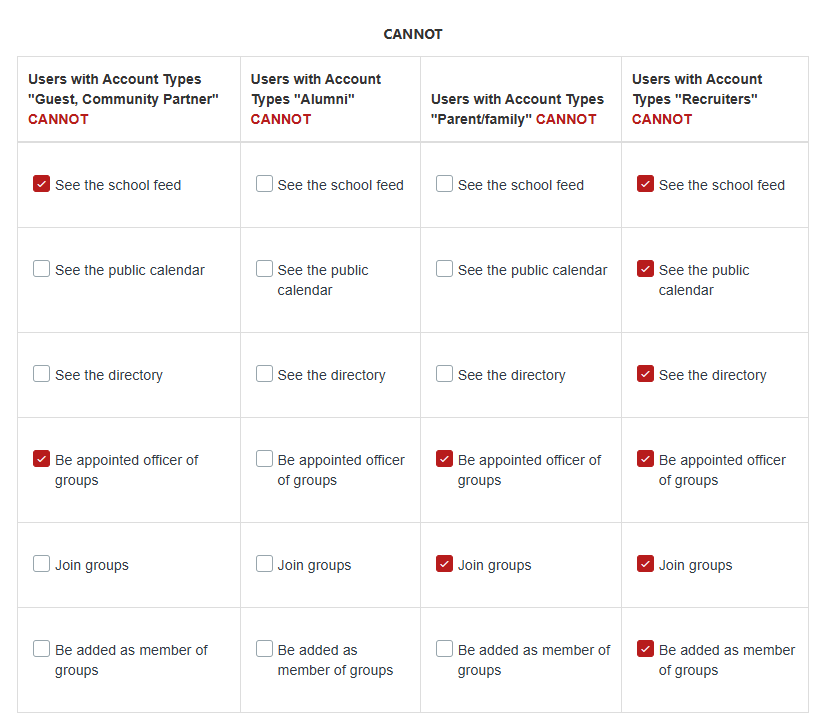
Unverified users are people who created their own guest account, for example, to register for an event that is open to the public. The CAN section determines what unverified users can do.

Note: Unverified users can be verified on the Users page, and given more access by changing their user type.
User Verification Bypass Links
Guest users typically create a profile on the platform by registering to an event. By default, these users are unverified, and need verification before they can access the platform.
Creating a user verification bypass link skips this verification process, enabling you to create your own link and invite trusted users. A common example is inviting parents to an Orientation Event Hub.
When these users click this link to register to an event, they will be automatically verified when they create their profile.
Scroll down to the User Verification Bypass Links section, and click Create Bypass Link. Add the link to where your users will be registering, and set an expiration timer
