
As an officer of the group hosting a Virtual Fair, you can generate reports on attendance.
Manage the fair, and open the Participants list.
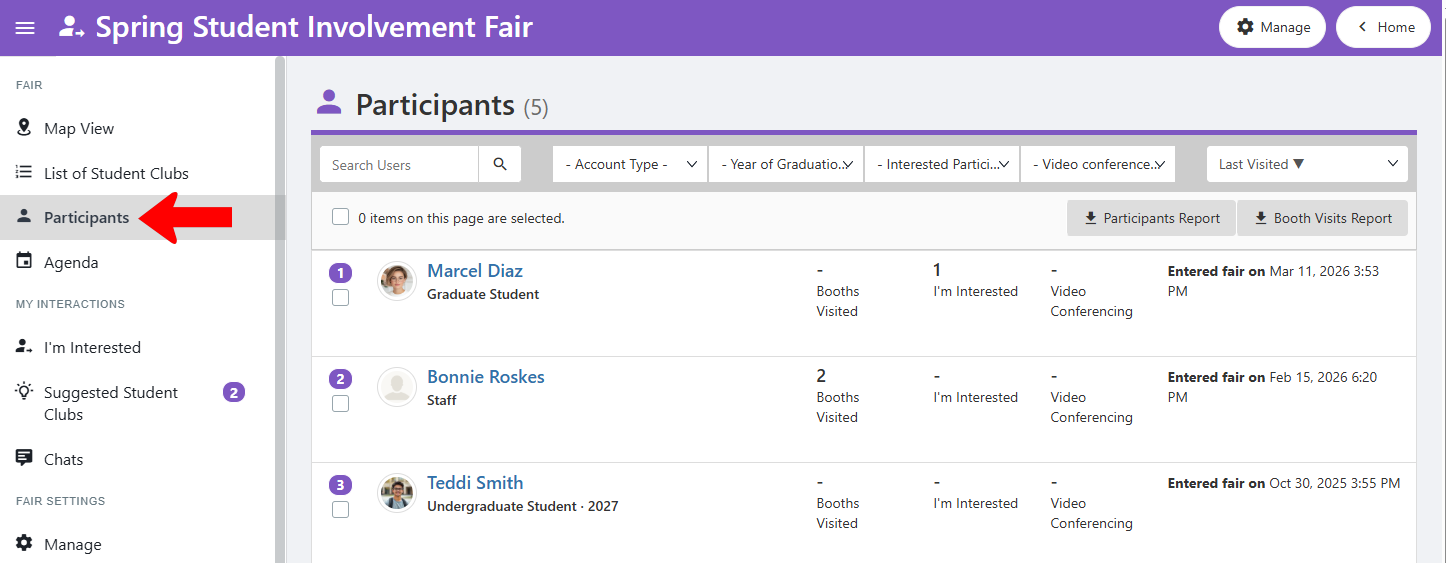
Search or filter the list if needed, and select the participants to include in the report. There are two report options.
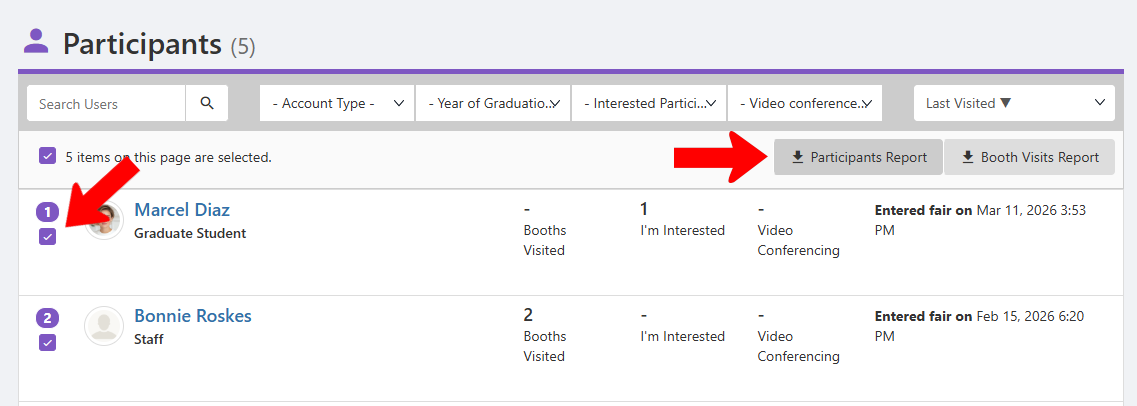
- Participants Report includes names and emails, Account Type, graduation year, booths visited, number of “I’m Interested” clicks, number of video conferences attended, and fair event registrations registrations.
- Booth Visits Report presents similar information, listed by group. Each group has all visitors listed, dates of visit, interest click and video conference attendance.
Note: While participating groups cannot generate these report, you can filter or edit either as needed to share with groups. In addition, group officers can see who clicked “I’m Interested,” by opening their Contacts list and looking for the custom Member Tag with the Virtual Fair name.