
In addition to manually Adding New Users, you can also upload users from a file.
Note: See our best practices Recommended User Attributes for recommended user attributes to import.
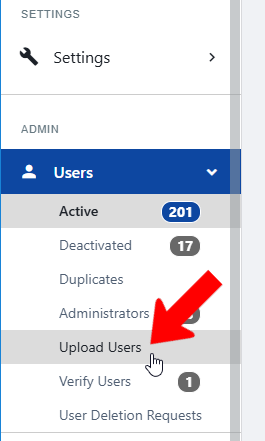
Switch to Admin mode best practices for uploading users if needed. Open Users on the left, and choose Upload Users.
Download the user template file by clicking the file name in Step 1.
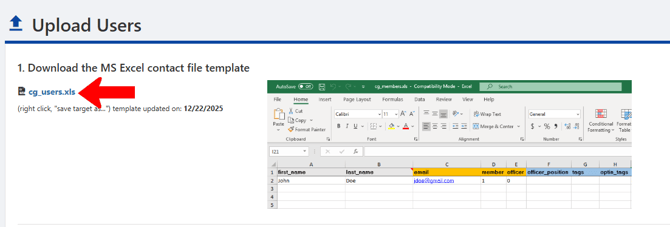
Be sure to read the detailed instructions in Step 2, explaining how to work with the template file.

Important points:
- Do not remove or rename any columns, even if some columns have no data.
- The worksheet containing the data must be named "users."
- First name and last name go in separate cells.
- You must enter data in all orange fields. Any additional information can be entered in blue fields.

When your file is ready, save it and upload it in Step 3.

Note: You can also bulk-upload profile photos Upload Resumes and Upload Pictures and resumes Upload Resumes and Upload Pictures.