
If you have integrated a payment gateway such as PayPal or Stripe into our platform, you can run a sync, or payment audit, to verify that all gateway transactions appear correctly in the Transactions list Transactions.
Reports from your payment gateway provider list each transaction by UID, which matches the CG Cart IDs in CampusGroups Transaction Reports. An example of a UID is 8296d08b-ccad-11df-a4b4-a75ddf44b7cb.
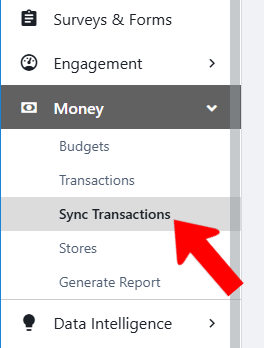
To run a sync, switch to Admin mode Accessing Admin Features if needed. Open Money on the left and choose Sync Transactions.
In the Payment Audit field, paste the list of UIDs, then click Run Audit. You will be notified of any transactions that do not also appear in the platform.