
Contacts are CampusGroups users who have engaged with your group, but are not members.
A typical contact is a user who:
- Submitted a survey
- Attended an event
- Received an email
- Was manually added as a contact Membership Breakdown by a group officer
Note: The Membership Breakdown displays a summary of numbers of contacts who engaged with your group in various ways.
To view your group’s contacts, start by managing your group Managing Your Group, Group Dashboard and open your Members list Members List: Managing Group Members. You can choose Contacts on the left, or filter the list for contacts.
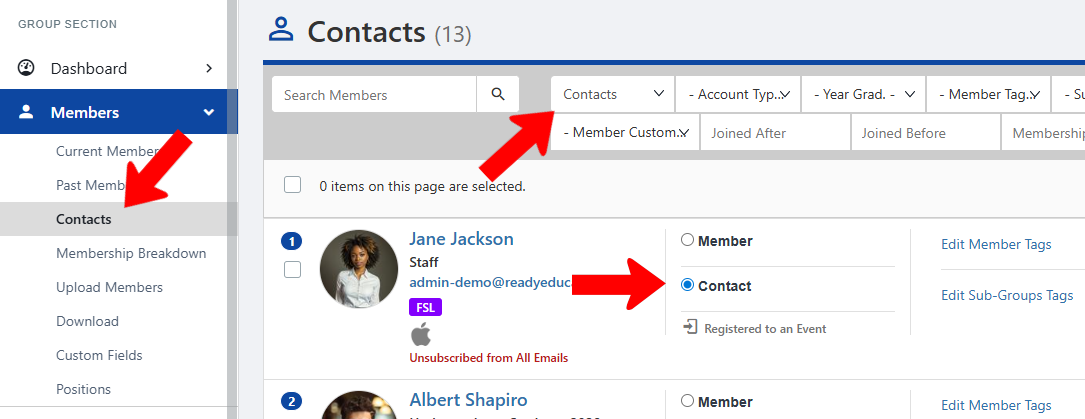
Note: Officers with Manage Members permission can change a contact to a member.
In contrast to members, contacts have limited access privileges.
Contacts can access the group page Group Contacts but only view the About, Events, Officers, and Surveys & Forms sections.
Contacts also do not receive member-targeted emails Sending Group Emails unless specifically selected, and may be restricted from event registration or specific tickets if designated for members only.