
Admins can set up Points Points for Admins for both users and groups, to track and display their platform engagement. As points are awarded or earned automatically, users can track user and group progress via Leaderboards.
To make leaderboards accessible to users, the correct Hub Menu Items must be added to the Community Hub Hub Menu Items accessible to the relevant users. There are menus for Groups Leaderboard and Users Leaderboard, and each can be renamed if needed.

To track leaderboards platform-wide, switch to Admin mode Admin Dashboards if needed, and open Engagement on the left. There are two options: User Leaderboard and Group Leaderboard.

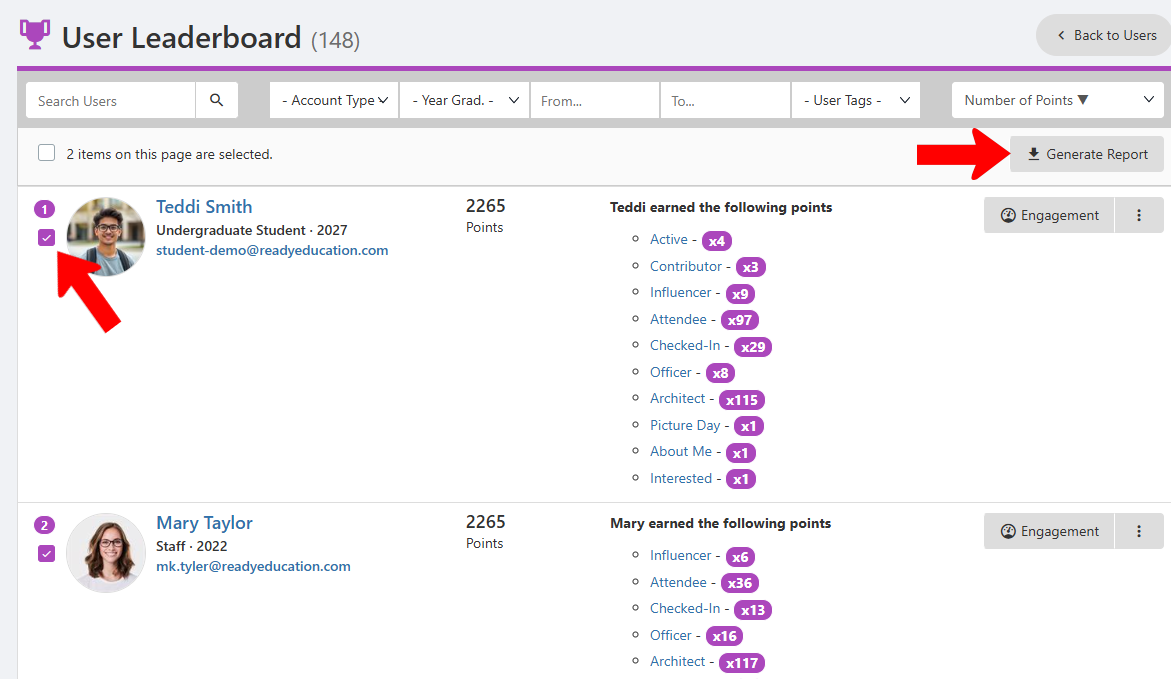
The User Leaderboard lists User Points. The list can be searched or filtered, and sorted by name or number of points. For each user, you can click a point type for details.

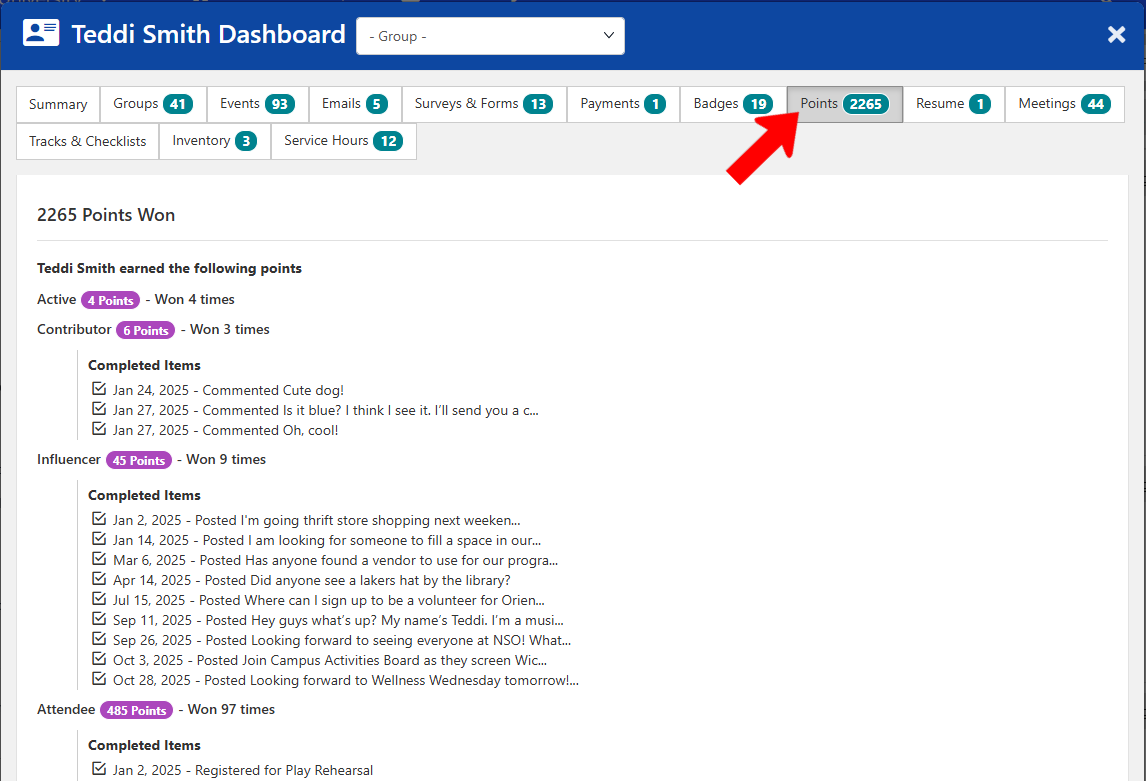
Clicking a point type shows its Completion Details, describing the actions the user took to earn those points.

For more details on a user, click their name or Engagement button.

This opens the User Dashboard, containing multiple tabs for various user details. The Points tab presents a detailed list of all point-related actions.
When one or more users are selected, click Generate Report to download a spreadsheet of user point details.
The Group Leaderboard is similar, listing groups and points earned.
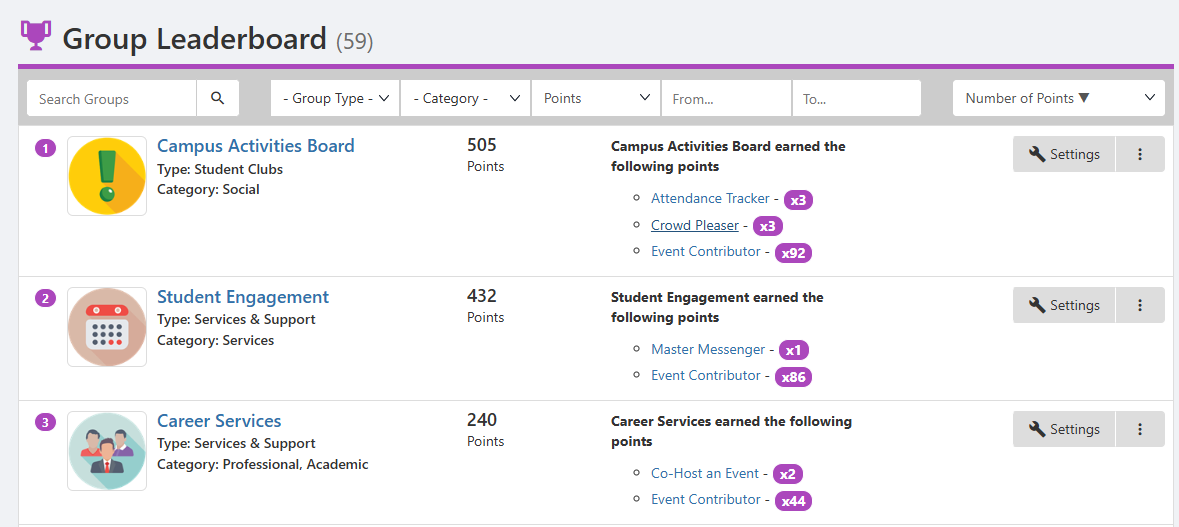
Clicking a group name opens its Group Page Group Settings, and clicking Settings opens the Group Settings.