
Group officers have access to a variety of reports.
To generate a report, manage your group, open Dashboard on the left, and choose Reports.
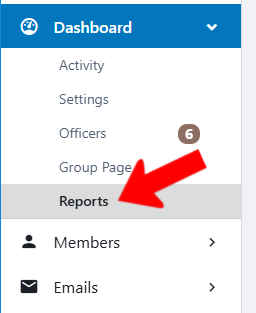
To generate one of the available reports, click its link and follow any additional instructions.

Note: For all event-related reports, you will need to set an event date range for the report.
Reports include:
- Event Attendance Report: Event name and date, RSVPs, number of attendees checked in, and number of users on the waiting list.
- Members Attendance Report: Event attendance by user, including registered non-members. (Non-members who register for an event are added to the group’s Contacts list Group Contacts.) Fields include user name and email, Account Type, event name and details, RSVP with date, whether they were on the waiting list, check-in and checkout details.
- Members Attendance Report Summary: Summary of event attendance by user, including numbers of event RSVPs and check-ins.
- Events Report: All group events, with details including Event ID, submitted date, event name and details, Event Type, numbers of registrations required and actual.
- Number of Members you have in common with other groups: A list of all other campus groups with the number of members shared with your group.
- Members you have in common with other groups: For platform admins only. Similar to the report above, but rather than numbers of common members, this report provides names and emails of common members.