When a group is no longer active, rather than delete it, you can deactivate it. This way you can easily bring it back if needed.
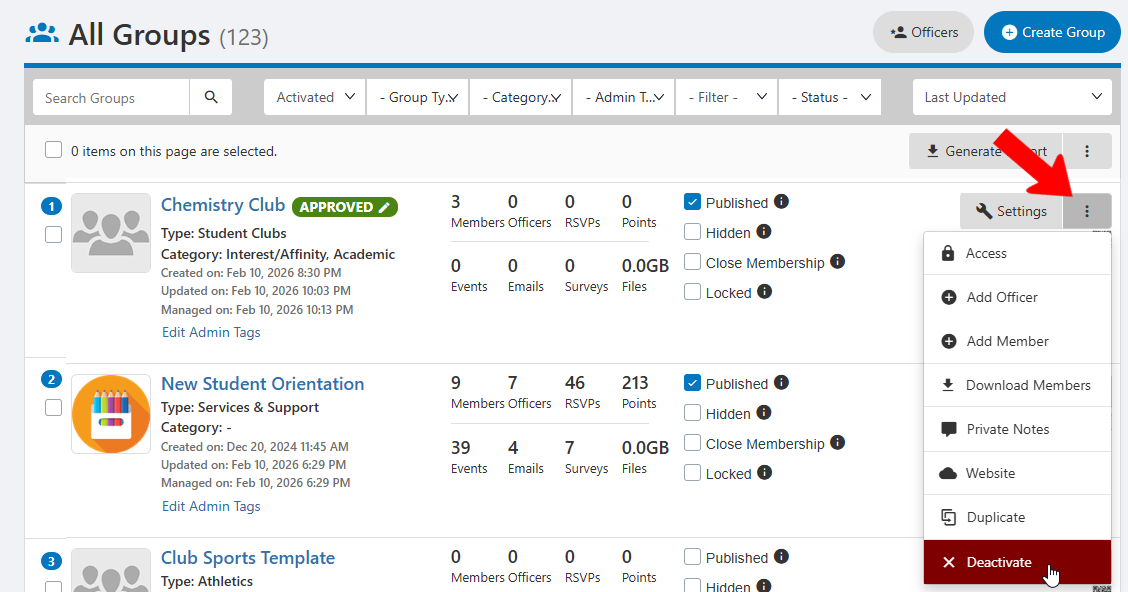
Open the All Groups list All Groups List: Managing Groups and find the group you want. Click its More icon and choose Deactivate.
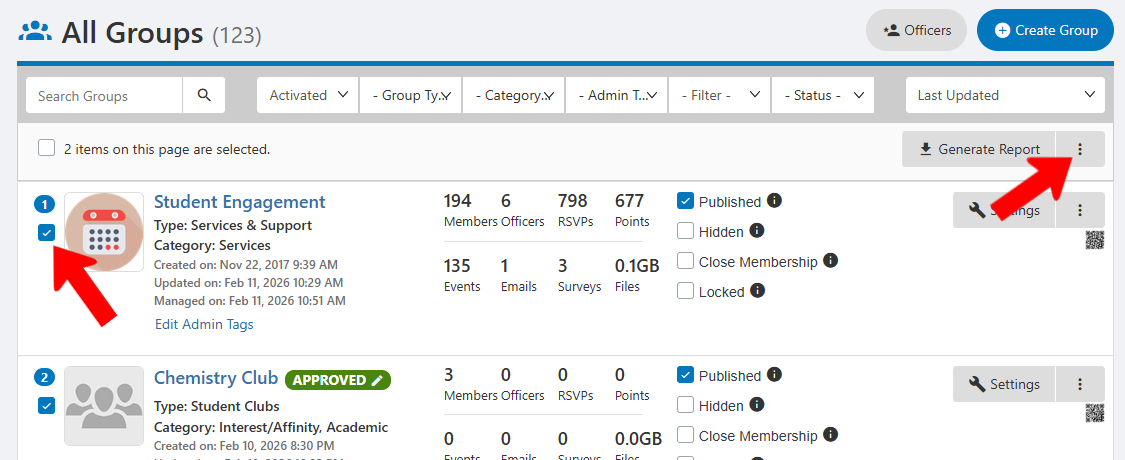
To deactivate multiple groups, select them in the list, click the More icon above the list, and choose Deactivate.
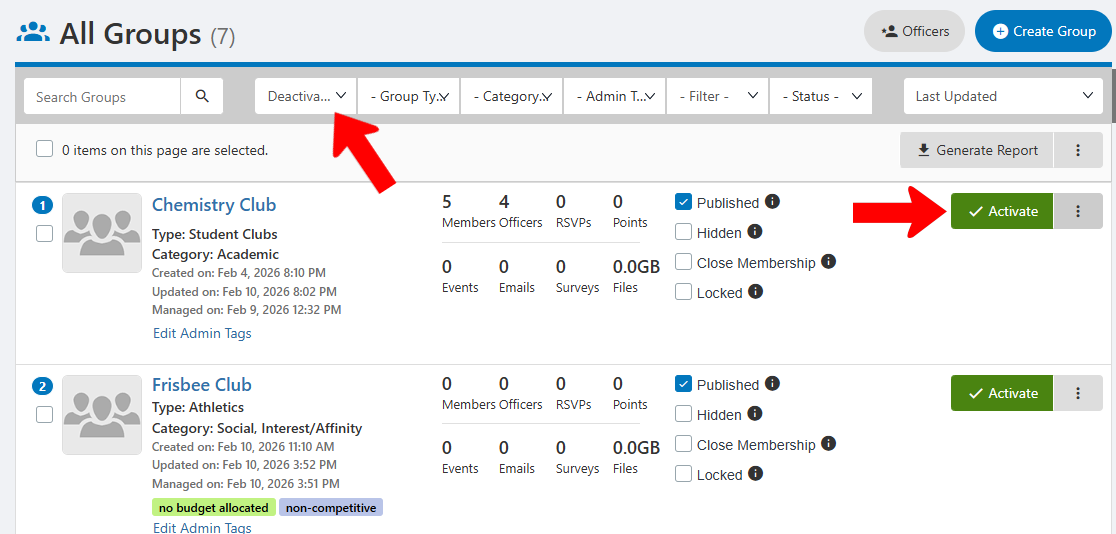
To see all deactivated groups, use the Deactivated filter. Each group here can be reactivated if needed.