Welcome to the CampusGroups Budgeting Module, enabling you to control money allocated to, and spent by, groups. If you’re new to budgeting, be sure to start by reading this article for general terms and processes.
Note that this module is a financial record keeper, but does not control actual money flow. In this system, “budget” refers to money allocated to a group and “payment” represents a request for money to spend.
Before creating budgets, we recommend the following steps:
Understand budget types and sources of funding
There are two types of budgets, and groups can have multiple budgets active at the same time.
- Simple Budget XREF: A lump sum allocated by an admin to a group. Group officers can view this budget, but they cannot request funds via a simple budget.
- Advanced Budget XREF: Used when officers want to request funds. This type of budget is typically time-bound (granted annually, quarterly, etc.). This budget includes specific line items, and requires a Payment Approval Process XREF.
Some groups may also generate their own money, from ticket sales, sponsorship, fundraising, etc. If the Group Funds feature is enabled, admins record and control these funds, and groups must request payment XREF from their group funds. If groups will be managing their own self-generated funds, open to the Money & Finance tab of the General Settings XREF and enable Hide group funds.
Create budget-related Custom Values
Several budget-related Custom Values XREF should be configured before creating budgets.
These include:
- Budget Request Type: Used by group officers when submitting a budget request XREF, these values represent funding requests categories, such as Travel, Event, Professional Development, etc.
- Budget Item Type: Used by group officers when creating line items for their budget request, these values represent spending categories such as Food and Drink, Travel, Advertising, Office Supplies, etc.
- Transaction Category Type: Payment line item types that are used in the Accounting Book and Payment Requests. These can be different than the Budget Item Types, but there must always be an Allocation value (included by default) to account for approved budgets
- Fund Request Type: Broader transaction category types used in the Accounting Book. Default values are purchasing / spending and reimbursement.
- Priority: This optional field is used to represent the request priority, such as High / Medium / Low, or Spending / Reimbursement, etc.
Create one or more payment approval processes
Simple and advanced budgets are different in the way groups are granted their budgets. For schools that run payment requests through the platform, both budget types require that group officers submit payment requests.
Note: Some schools opt to only show budgets and requests, while using a different system for actual transactions.
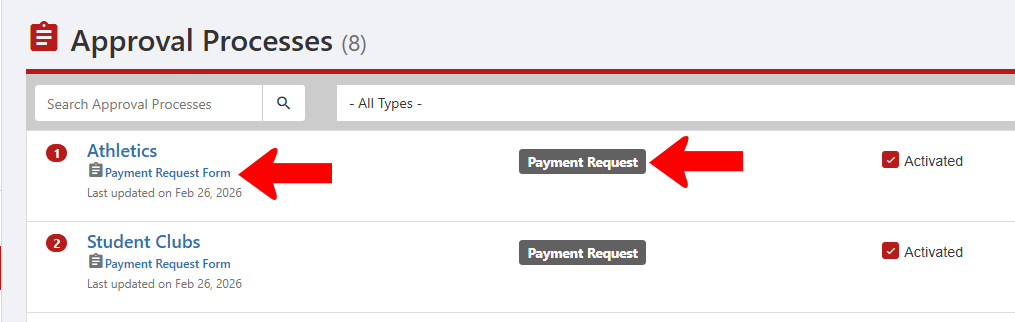
For each type of group included in any budget, a Payment Request approval process XREF must be in place before requests come in. Each process must be linked to a form.