For a Community Hub Hub Pages, a hub page is an internal, platform-generated web page related to the hub. Hub pages are hosted by the group hosting the hub.
Note: Platform admins can view and manage all pages for all groups in Pages.
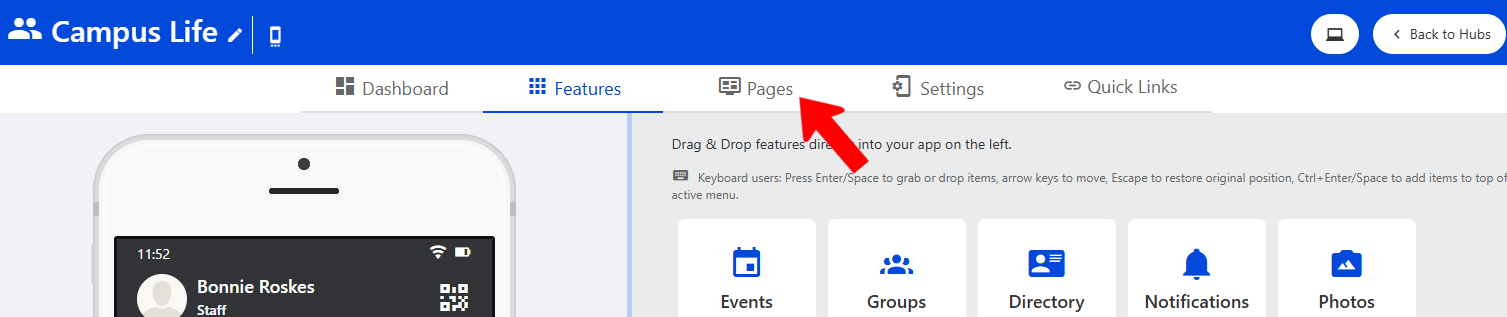
Platform admins can access Community Hub pages by managing the hub Pages and clicking the Pages tab.
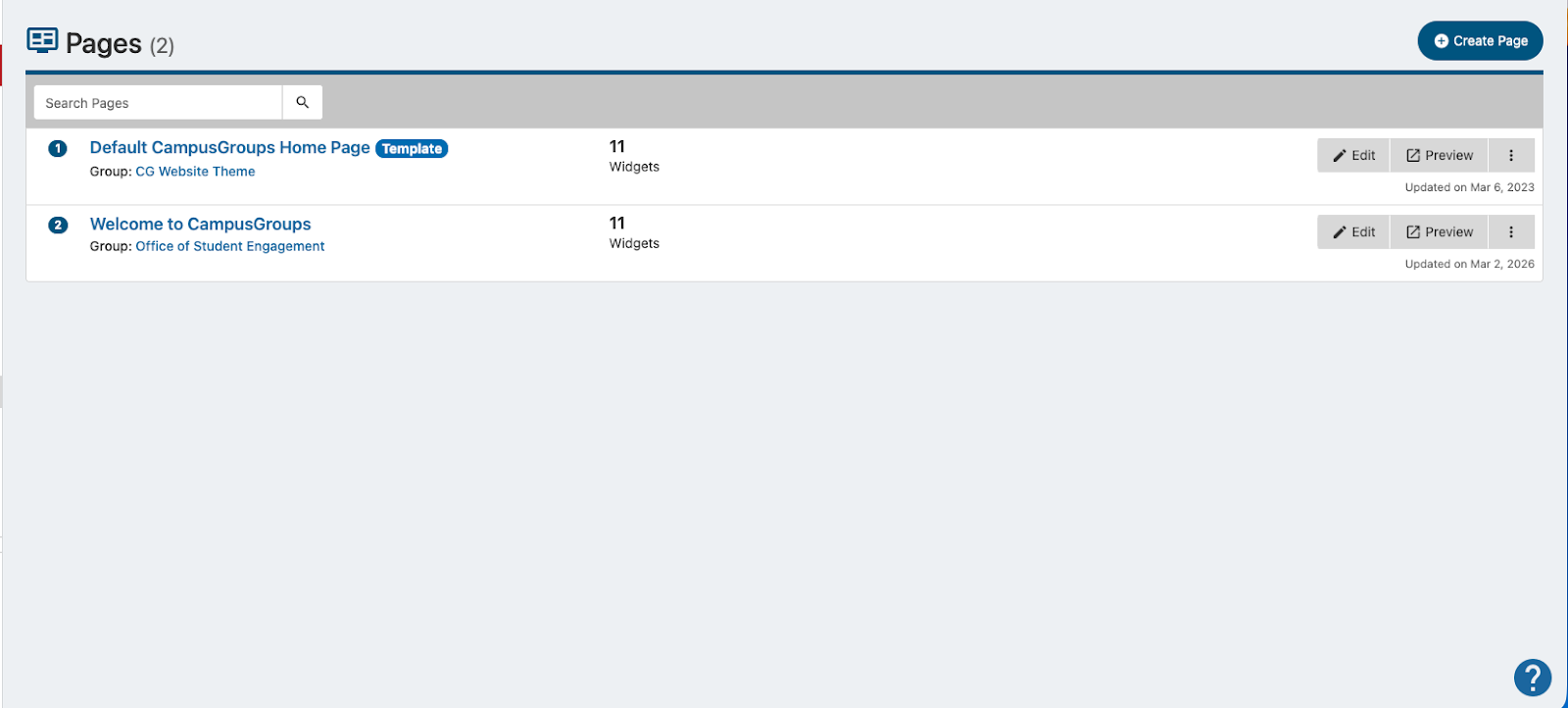
Two pages are provided to get you started, including one template that can be copied but not edited. You can create a new page, and edit or duplicate an existing page.
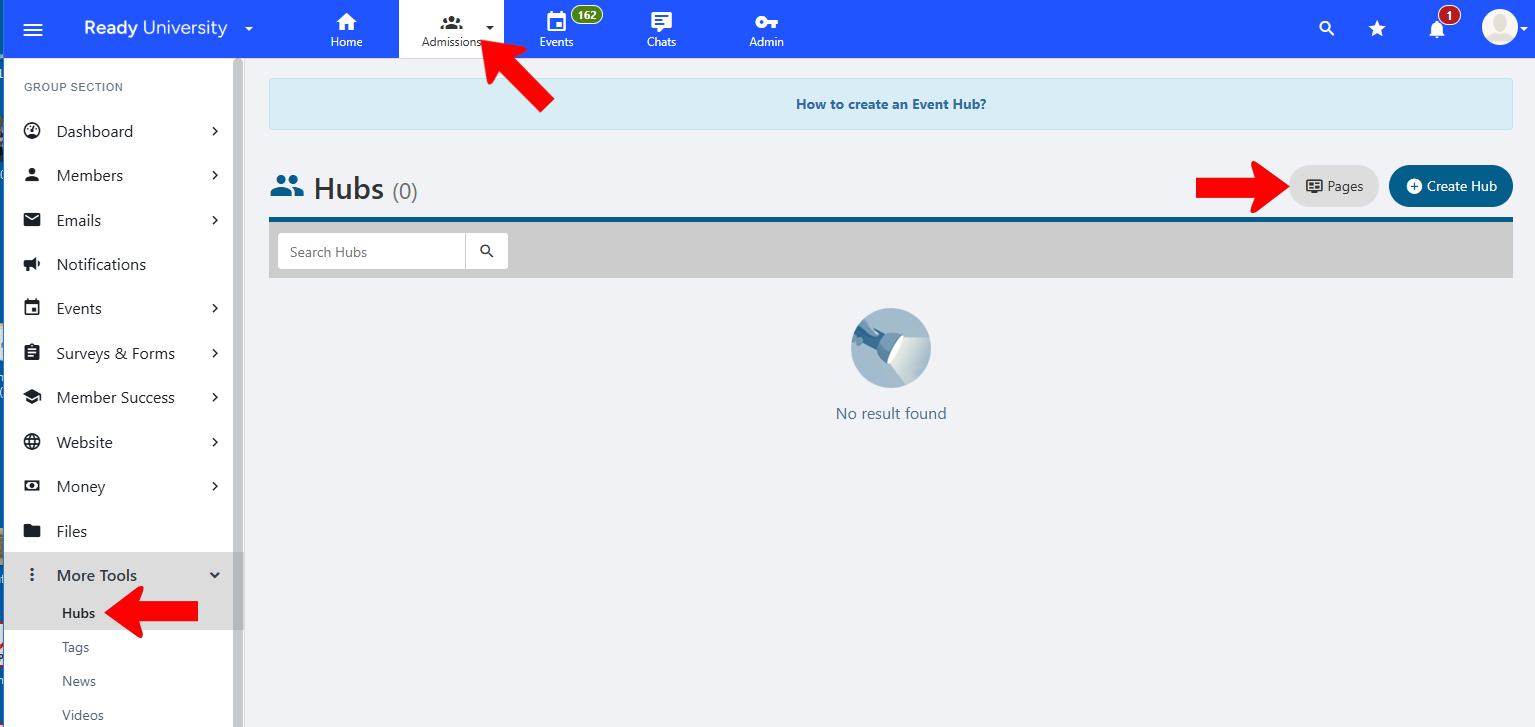
For an Event Hub, a group officer (or department staff member) with hub permission can manage their group Pages, open Hubs, and click Pages.
In the Pages list, you can edit an existing page or create a new page Pages.
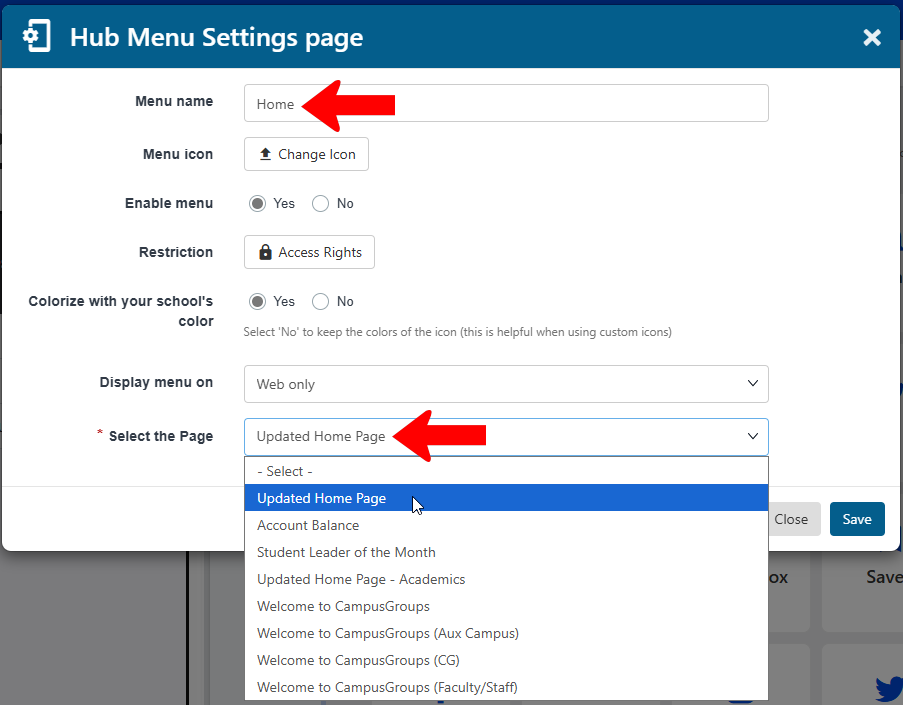
Hub users access a hub page via a Page hub menu item Hub Pages.
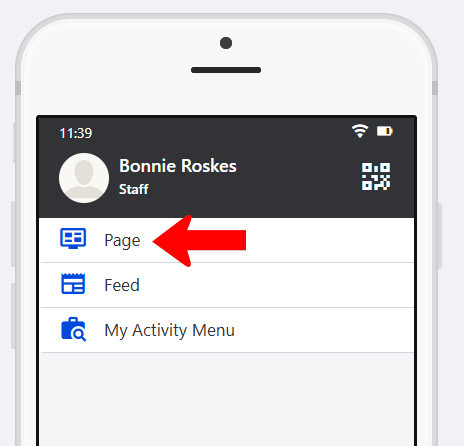
Note: Hub pages can be viewed by users on web only.
In the menu settings, the Page menu is typically renamed to match hub page content, such as “Home.” The list of available pages is the Select the Page drop-down.