How to Edit the Homepage Title
- Go to Admin > Settings > Pages
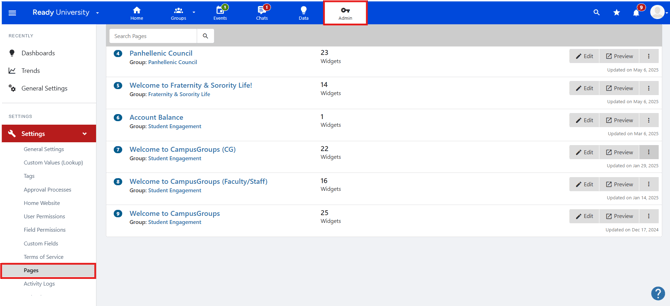
- Find the page that is set as your Homepage
-
Click the Settings button next to that page
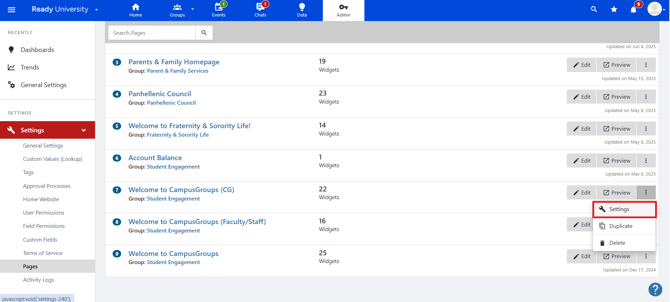
- Update the Page Name field
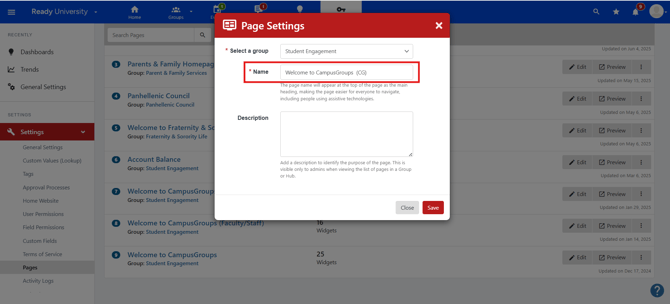
- Save your changes
The new name will appear as the title at the top of the homepage.
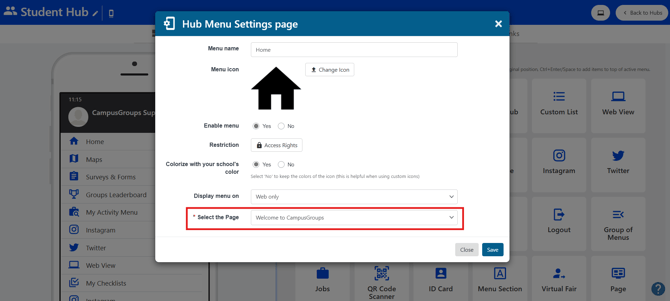
How to Find the Page Used for Your Homepage
To identify which page is set as your homepage, follow these steps:
- Manage the Hub where your homepage is hosted
- Edit the Home menu
- Look at the Select the page dropdown — the page currently selected is the one used as your homepage