CampusGroups offers two API methods to access and work with platform data, each tailored to different institutional needs, from real-time integrations with student information systems to deep-dive analytics and custom reporting.
This is overview and comparison of three core data access options available to you:
- Data API: A SOAP-based integration that enables real-time data updates and synchronization with external systems.
- Data Export API: Our most recent solution for clean, structured, and scalable data exports, ideal for analytics and business intelligence.
Data API
The Data API enables bi-directional communication for real-time read and write operations. It supports detailed record creation, updates, and data queries via SOAP endpoints
Note:
Documentation: https://www.campusgroups.com/api?public=1
Key Characteristics:
- Supports real-time operations (e.g., create/update users, events, memberships).
- SOAP/XML based web services.
- Can be integrated with SIS, CRM, and identity systems
- RSS Data API endpoints can be used to get specific data already joined (e.g. event attendance with user names by event_id).
Use Cases:
-
CreateUpdate endpoints can be used to create or update data in CampusGroups:
- Provision users from your SIS
- Populate events from an external system
- Add transactions from an external system
- … and more.
-
RSS endpoints can be used to syndicate CampusGroups content into external systems:
- Display events on an external calendar
- Promote a list of groups on an external website
- Sync transactions to a budgeting system
- … and more.
Limitations:
- More complex implementation due to SOAP/XML structure.
- Limited support for bulk or historical data access
- Does not take into account user access rights (i.e. the data cannot be scoped to a specific user's permissions)
Access:
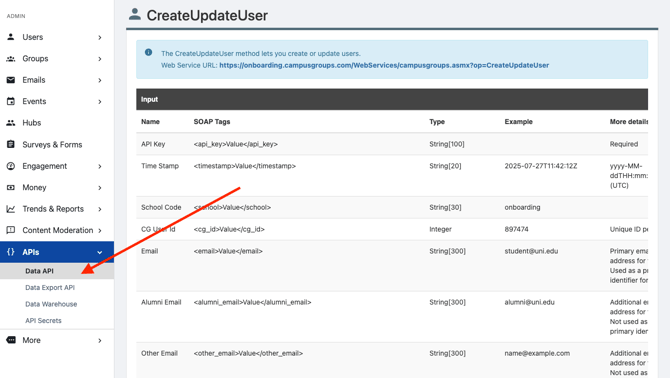
To access the Data API, go to the Admin section. The Data API feature is located under the APIs submenu.
Data Export API
The Data Export API is the latest and most scalable data access method designed for clean, structured, and ready-to-use data exports. It is built on a dedicated data layer optimized for bulk data export.
Access to this API is available as part of the Data Intelligence module.
Note:
Documentation: https://docs-prod-us-east-1.service.campusgroups.com/service-data/index.html
Key Characteristics:
- Read-only, high-performance JSON REST API.
- Returns normalized data sets across areas like Users, Events, Attendance, Groups, and more.
- Includes built-in documentation and schema definitions.
- Designed to be a performant bulk export, partitioned by
updated_on.
Use Cases:
- Bulk extract all data into your institutional data lake or data warehouse where you can query it as needed for deeper analysis and correlation with other external datasets.
Limitations:
- Not designed for real-time or transactional updates.
- Not designed for filtering the data by parameters (i.e. minimal joins or data transformations)
Access:
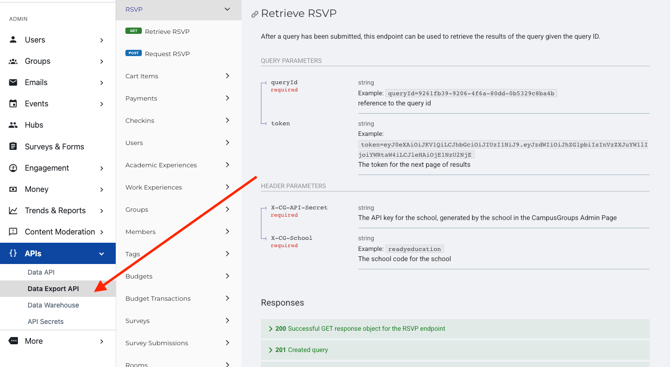
You can find information about the Data Export API under "Data" in the top menu. For documentation, use the "Admin" section > APIs > Data Export API.
Data Warehouse
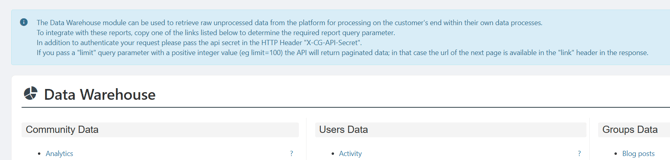
The Data Warehouse is a legacy offering to provides direct access to underlying tables and raw data through JSON-based report URLs.
Note:
We encourage clients to use the Data Export API for a more performant experience with bulk extraction.
Key Characteristics:
- Full access to raw, unprocessed data tables.
- Includes foreign key relationships between entities.
Limitations:
- Requires data modeling and cleaning
- Use of the Data Warehouse requires a good understanding of the platform data flows.
To access the Data Warehouse, please go to the Admin menu. The Data Warehouse feature is located under the APIs submenu
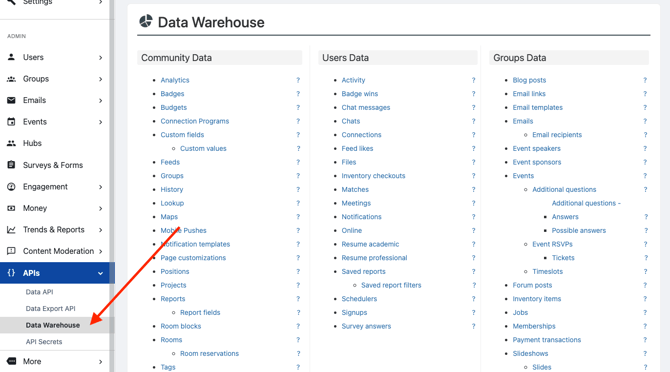
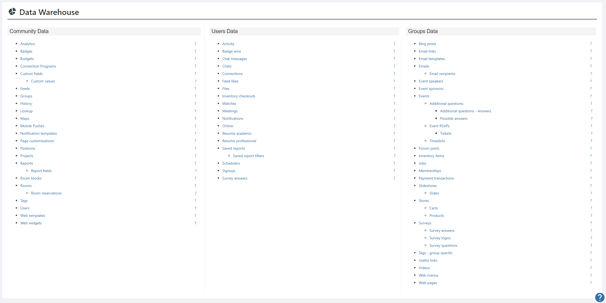
- You will be able to request all sorts of data, as can be seen on the screenshot below.
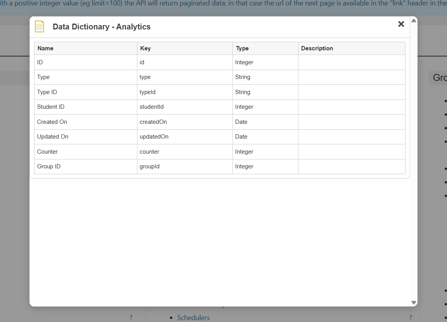
- The question mark to the left of each field allows you to view each data set's fields.
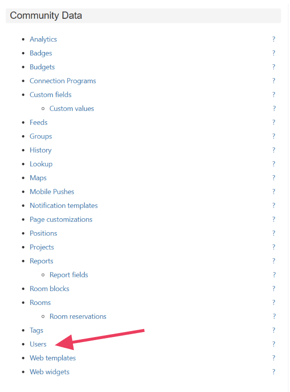
As an example, we will pull the users' data from the platform:
- Click on Users
- Retrieve the report parameter from the url

- The preferred authentication method is to add a custom HTTP header to the request named "X-CG-API-Secret" that contains your secret key. For example, in Postman, add the header X-CG-API-Secret with your secret key as the value.
The Data Warehouse page also includes additional instructions on how you may authenticate if your API client does not support custom HTTP headers.