
The Virtual Fair Virtual Fair Events (Agenda) Agenda consists of all events added to the fair.
These are events created as any other event Managing Events: Events List, and appear in the Events list event of the group hosting the fair. Adding an event to the fair is done in the Advanced Options Advanced Options for Events for Events, under Virtual Fair.
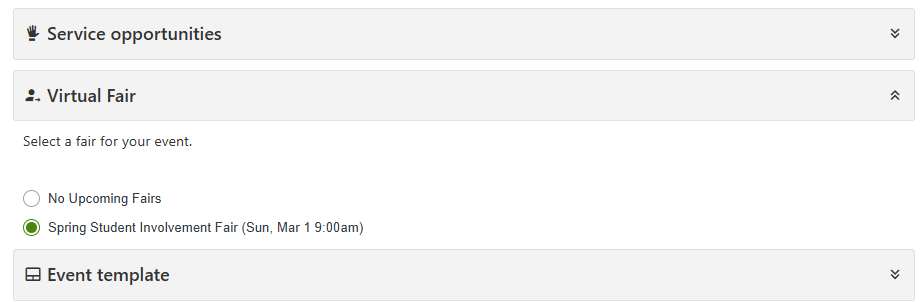
Note: In order to add an event hosted by a different group, that group must add the group managing the fair as a co-host. This is done in Advanced Options Advanced Options for Events for Events. Adding the group to a fair can only be done by the group managing the fair.
To see the agenda, start by viewing the Virtual Fair.
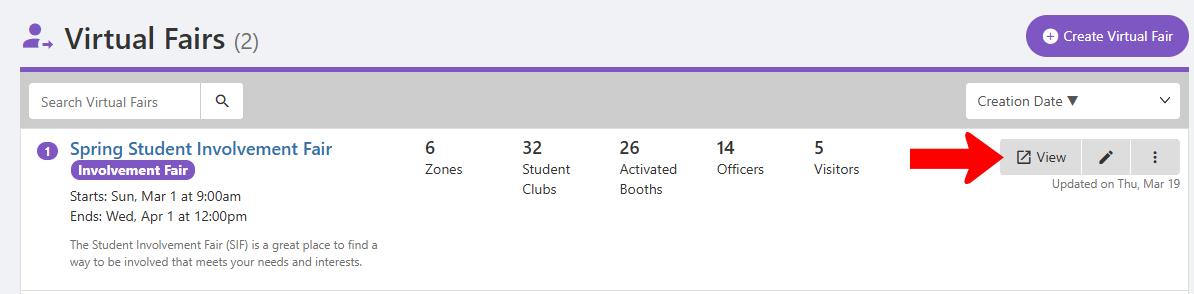
This opens the visitor navigation view, where you can open Agenda on the left.
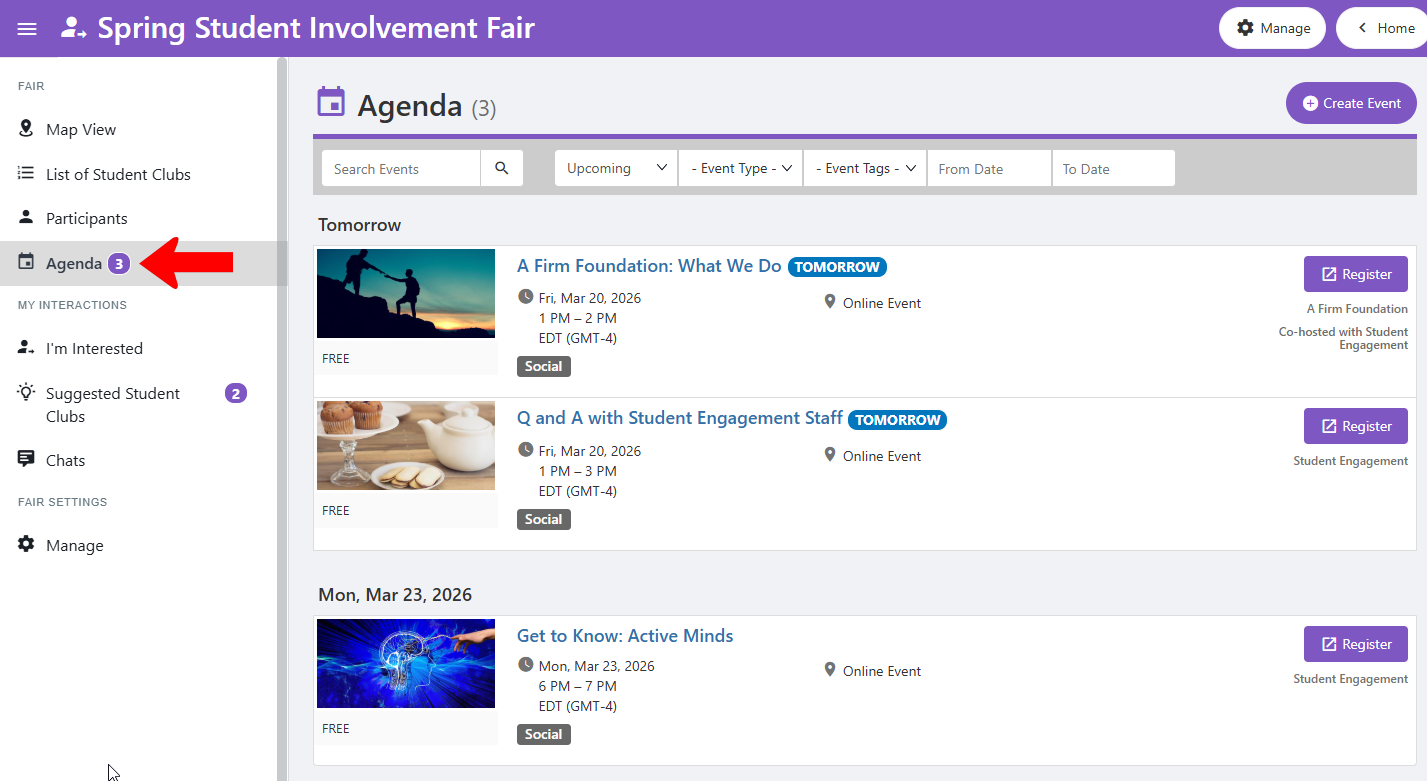
Note: There is a Create Event button at the top. You will have to select the group hosting the new event, and the event creation process will proceed for that group. If that group is different from your group, your group will need to be added to the event as a co-host. Then, while managing your group, you can add the event to the fair.