
Your user profile is what other users (and you) see on the platform, depending on your privacy settings. The more detail you provide, the easier it will be for other users to connect with you via the Directory.
To edit your user profile on the web version, click your avatar or image at the top right, then choose Edit Profile.
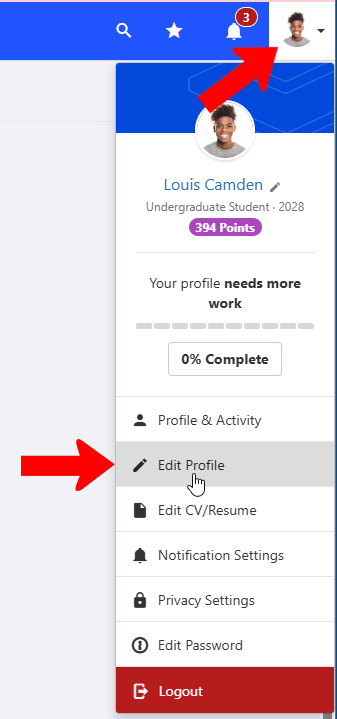
Note: This profile menu also has options to view your profile and activity My Activity, reset your password, adjust notification settings My Activity, and more.
On the mobile app, tap More along the bottom, then tap View Profile at the top.
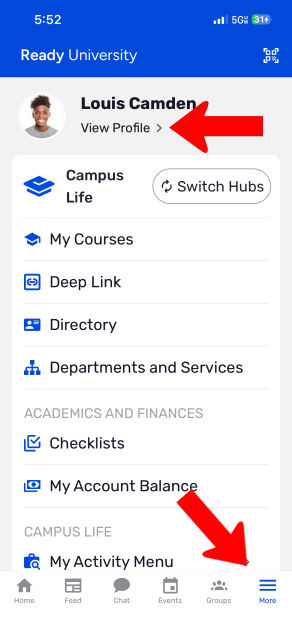
Tap the three-dot icon at the top, then tap Edit Profile.

There are several categories of settings. The fields that appear are set by your platform admin, and any grayed-out fields cannot be edited. The View My Profile button at the top can be used to preview your edits.

Note: If you make changes to any tab, be sure to save the tab before switching to a different tab.
- Basics: Name, email, pronouns, nationalities and languages, profile photo, and additional emails. This tab is also where you can request that your account be deleted.
- Contact Information: Address and phone numbers
- Current Education: School / program, degree, entry time, month and year of graduation
- Professional Experience: Upload a resume / CV or enter work experience manually
- Interests: Details entered here help the platform match you with other users and groups. Enter academic and professional interests, hobbies, favorite sports.
- Social Media: Profiles on popular social media platforms, and / or your own website
To control what profile details can be seen by others, choose Privacy Settings from the profile menu.
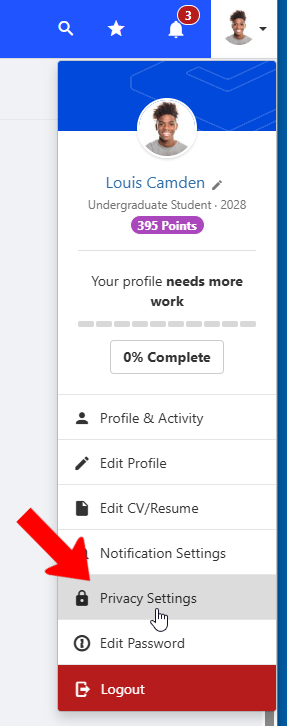
In Privacy Settings, check the box for each profile detail you want to be visible to other users.
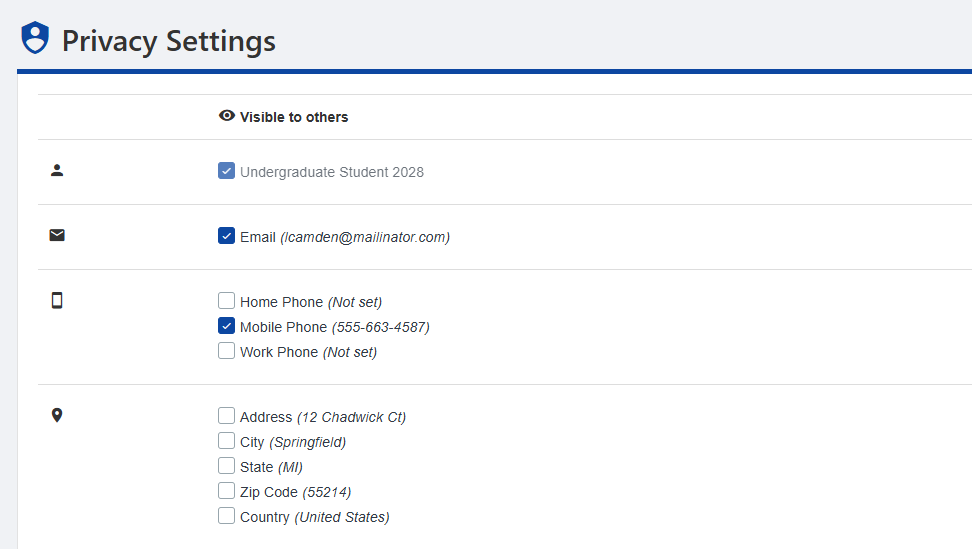
In addition to contact details, you can also hide your groups, events, connections, resume, officer positions, or involvement. The last option enables you to hide your entire profile.