
Group officers can assign service hours Group Service Hours to users, and users can register their own service hours which require officer or admin verification. As an admin, you can view, create, and validate service hours across all groups.
Note: Users can view their service hours in their User Profile. The My Activity Menu hub menu My Activity also includes a My Service Hours submenu.
To manage service hours platform-side, switch to Admin mode XRF if needed. Open Engagement on the left, and choose Service Hours.

The Service Hours list displays each user and their registered hours, and can be searched or filtered. Each set of hours is listed with group, Event or Experience (with details and date), number of hours, and whether the hours are verified. Each set of hours can be edited if needed, and there is an Add Service Hours button.
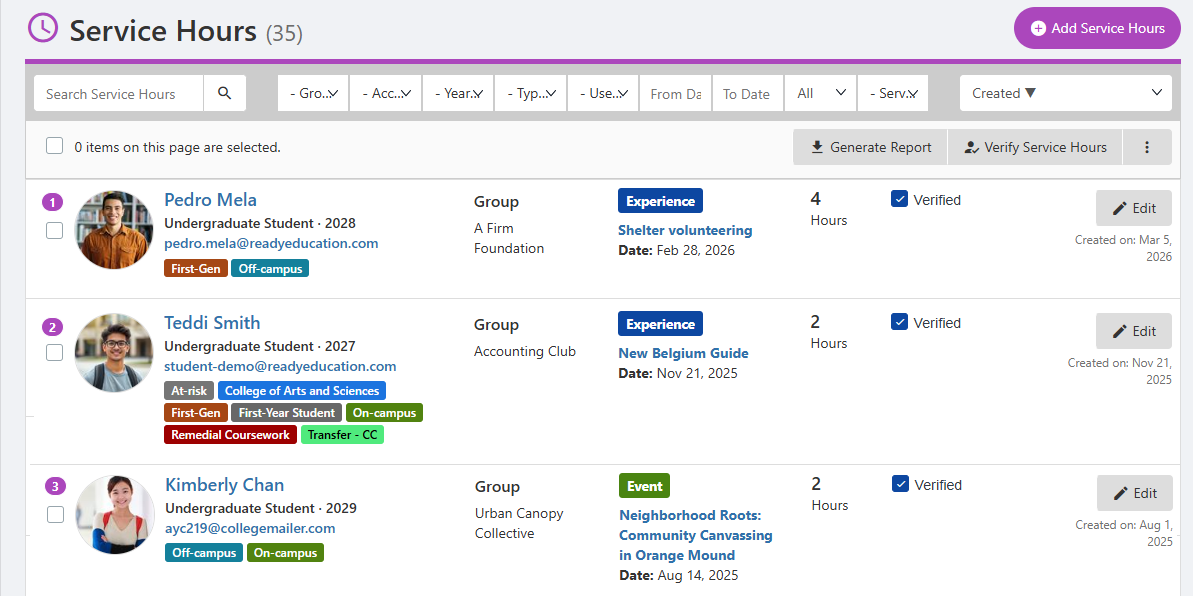
Note: If you create a Service Hours item, you will need to assign it to a hosting group.
Clicking a user name opens their User Dashboard. The Service Hours tab presents a list of all user hours registered to the user .

If any users have unverified hours, you will see a notification at the top. Clicking the hyperlinked number filters the list to show only unverified hours, which can be verified manually by checking the Verified box.
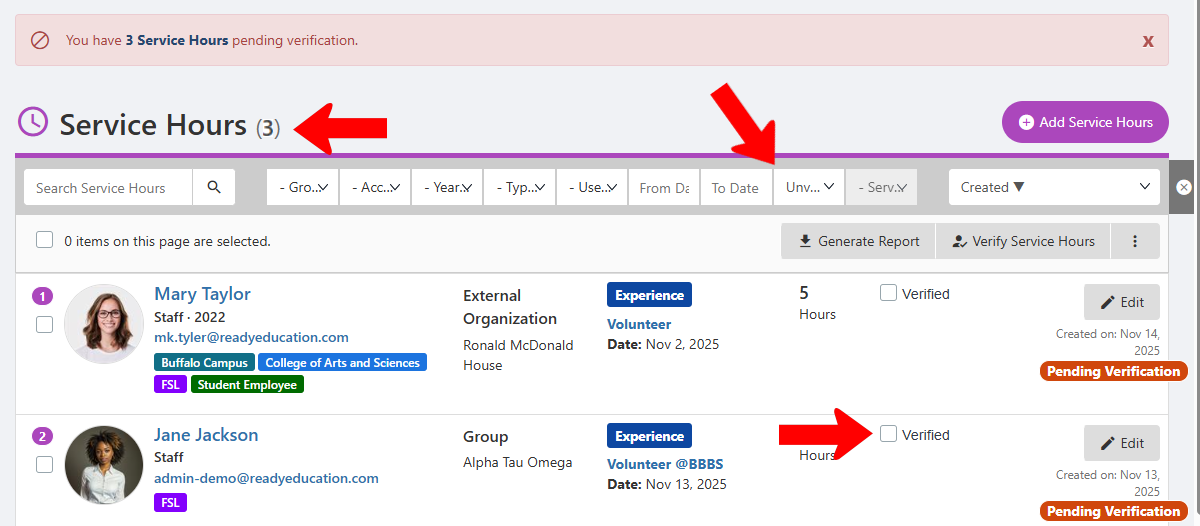
When one or more users are selected, you can generate a service hours report, or verify hours in bulk.
