
This option will be available if refund requests are allowed for your group. Groups that are designated to process refund requests are typically departments Groups and Departments such as Student Services.
Note: This feature does not process refunds directly in the platform; it enables officers and admins to track and approve requests. It is the school’s responsibility to manage the financial transactions.
Refunds requests are submitted by users via My Payments. Group officers then pass on the request to an admin for approval.
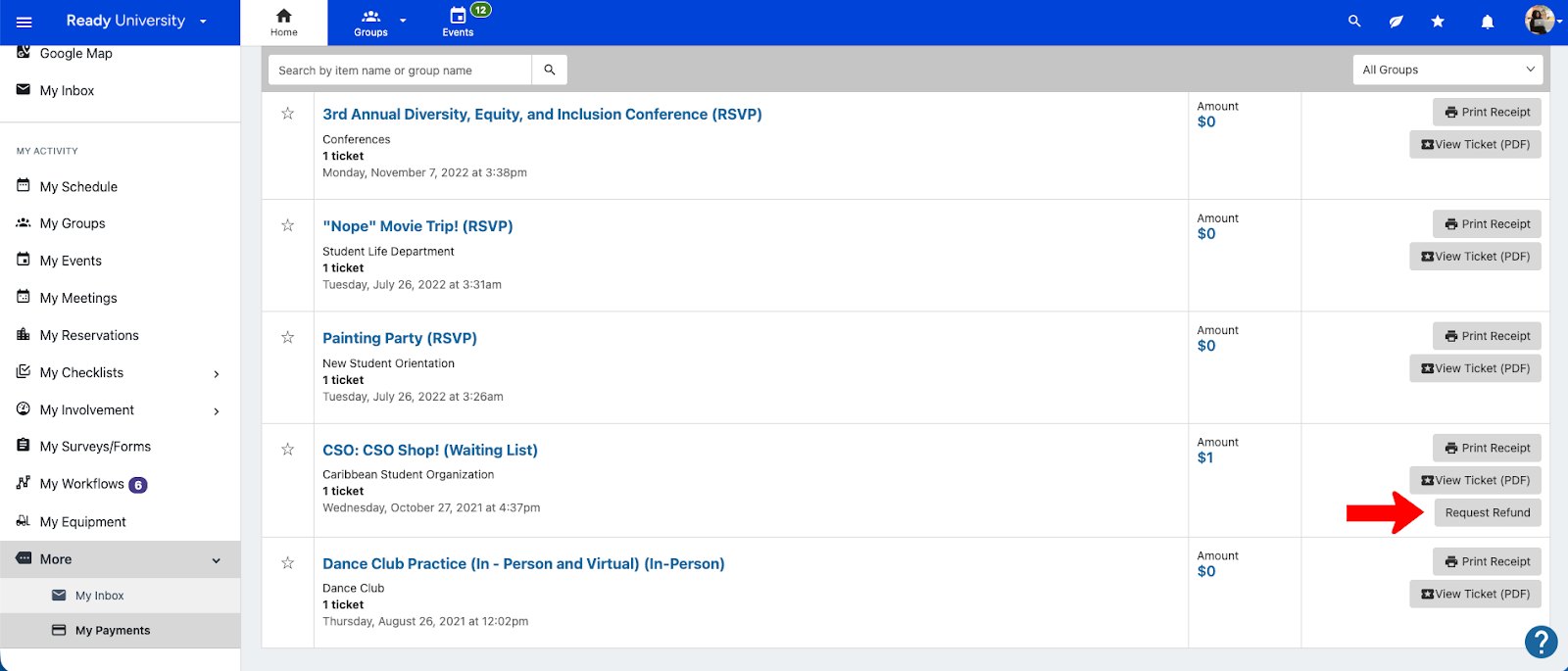
Officers can also send their own requests directly to an admin, on behalf of a user.

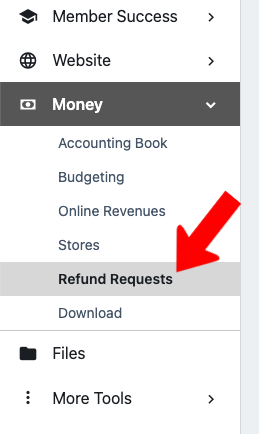
To view your group’s refund requests, manage your group, open Money on the left and choose Refund Requests.
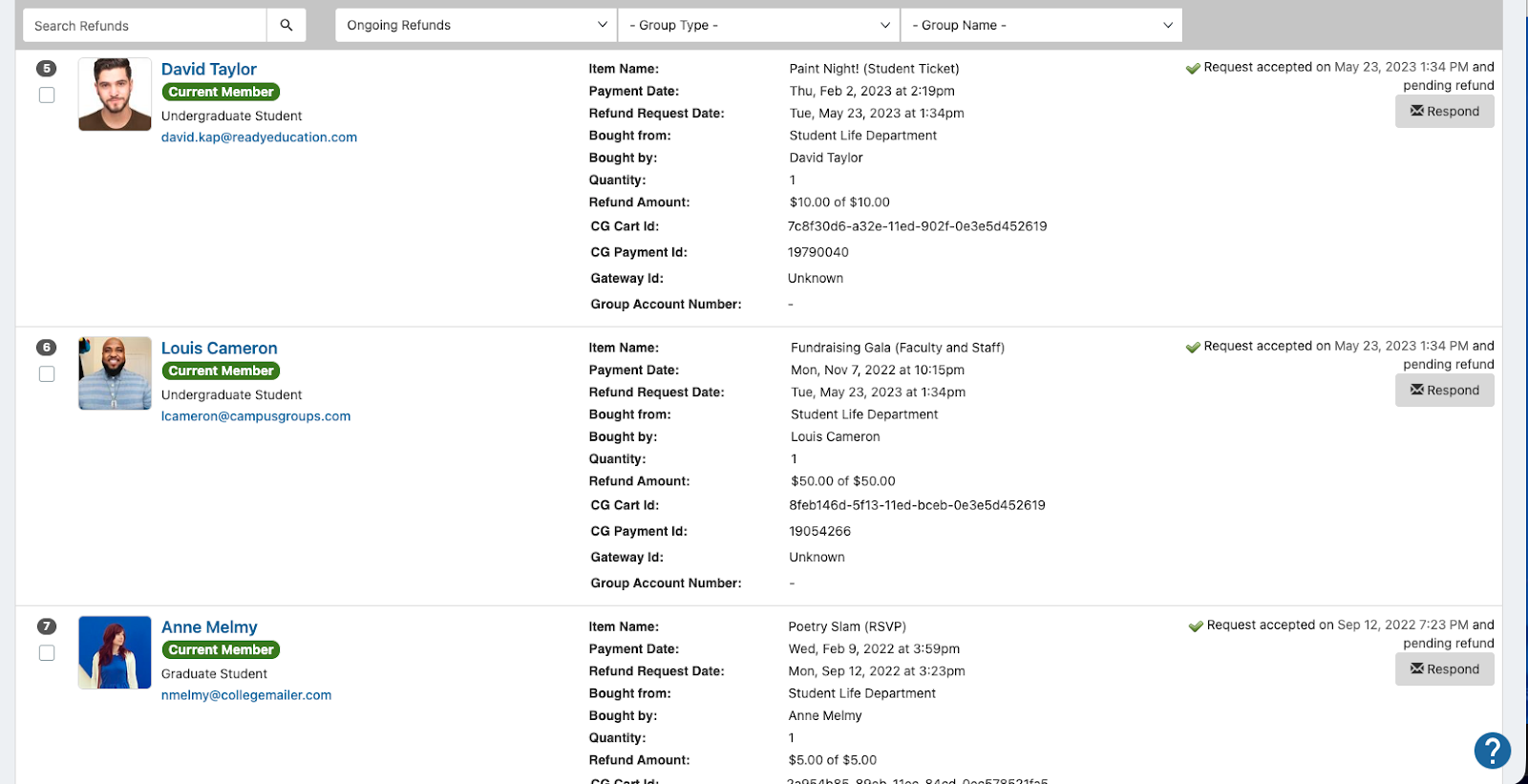
Each request is listed with the user making the request, item and payment details, and amount requested. To manage a request, click Respond.
In the Refund Response popup, choose whether to accept or deny the request, enter the refund amount, and include a response for the user.
The request is then sent to the refund admin group for final approval and financial action.

Note: The refund admin group is designated in the Money & Finance tab of the General Settings.