By default, all group officers have full access and control over all group features. But an officer can limit permissions for specific officers.
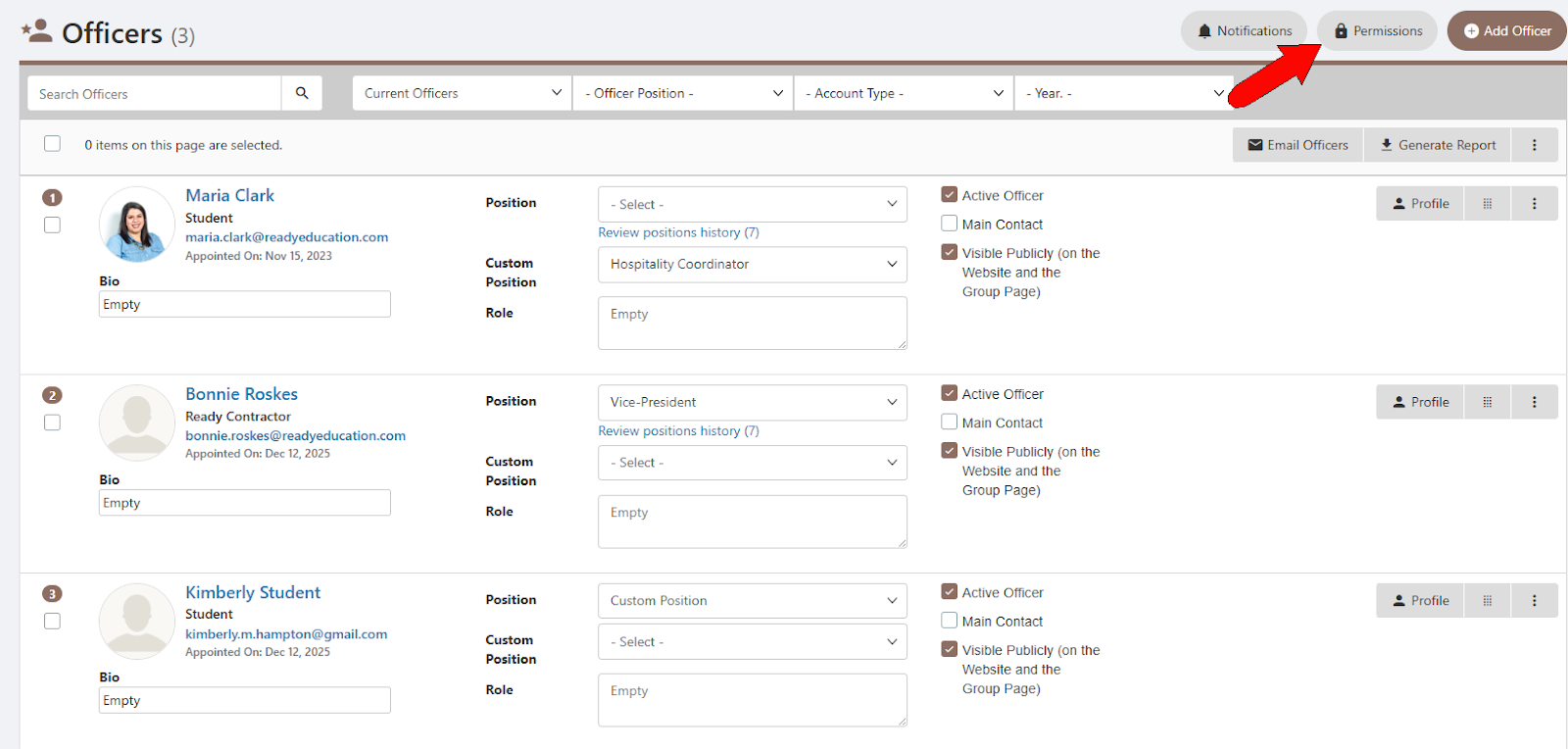
Open your Officers list Officers List: Managing Officers and click Permissions at the top.
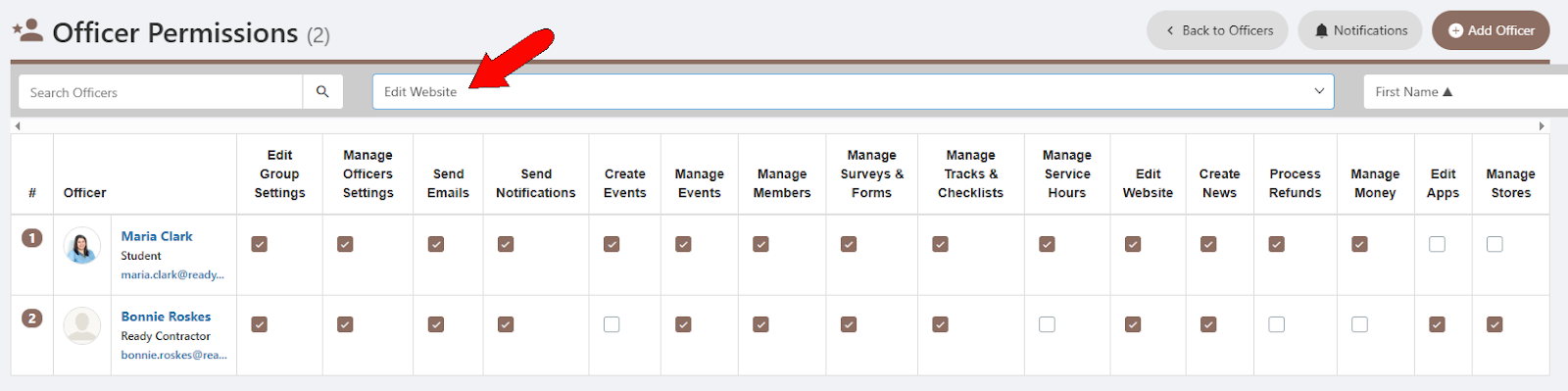
The Officer Permissions table lists each officer, with a checkbox for each permission type. By unchecking boxes, you can restrict access to the group website, notifications, events, etc.

The permissions filter makes it easy to view which officers have a specific permission.