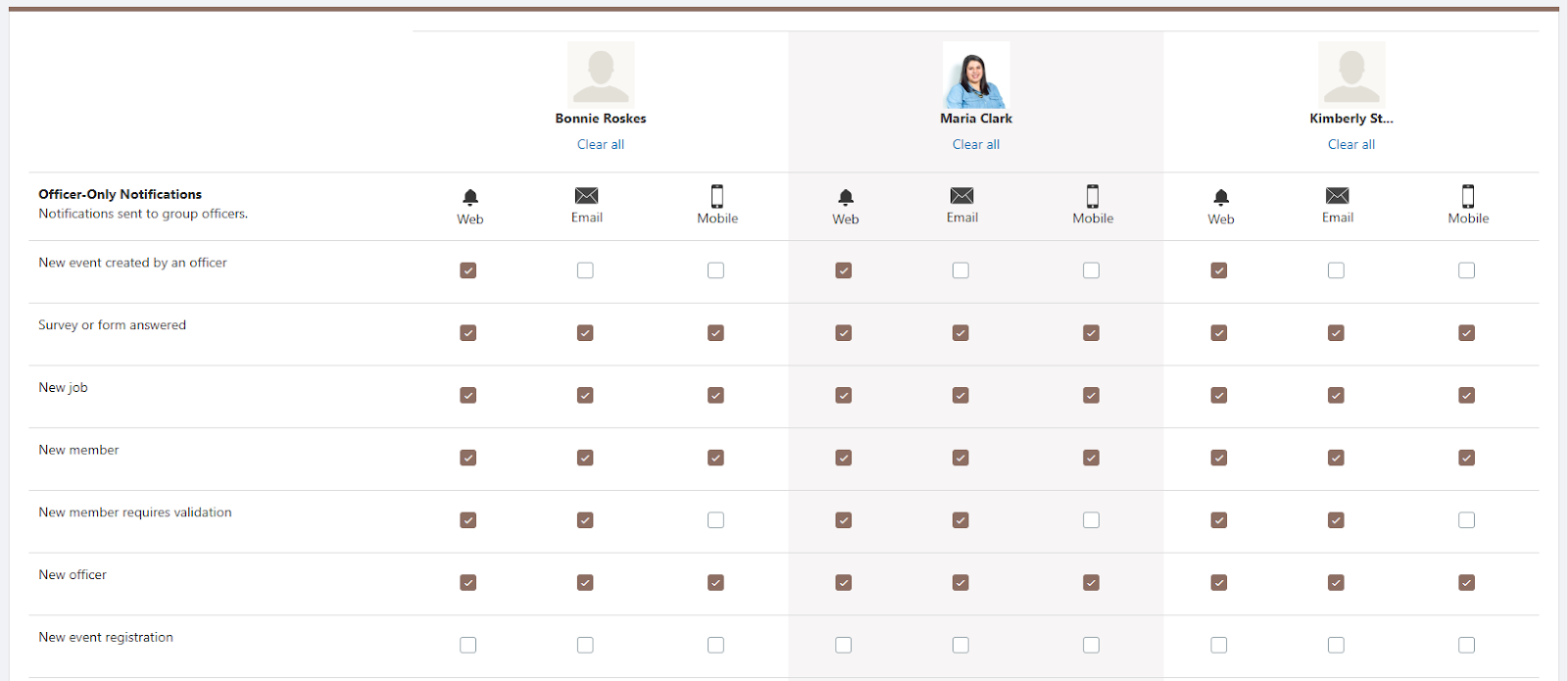
Group officers can receive notifications about many group activities and features. For example, all officers can receive an email and mobile notification when a new member is added, or when a purchase is made from the store.
Because notifications can become overwhelming, officers can configure who gets notified about what, and how the notifications are delivered.
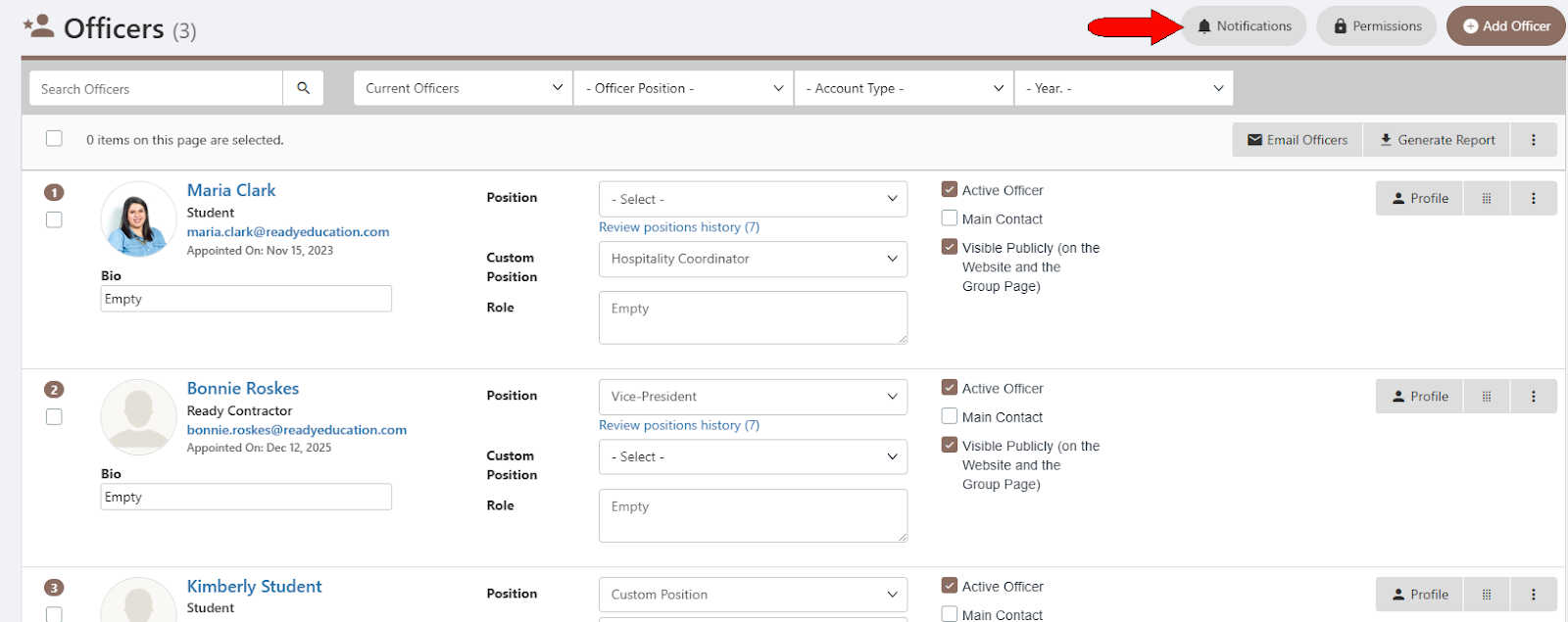
Open your Officers list Officers List: Managing Officers and click Notifications at the top.
The Officer Notifications table lists each officer across the top. For each notification type (new member, new job, survey answered, etc.), check the box to send notifications via Web, Email, or Mobile. Each officer has a Clear all link under their name, in case you want to start with a blank list.