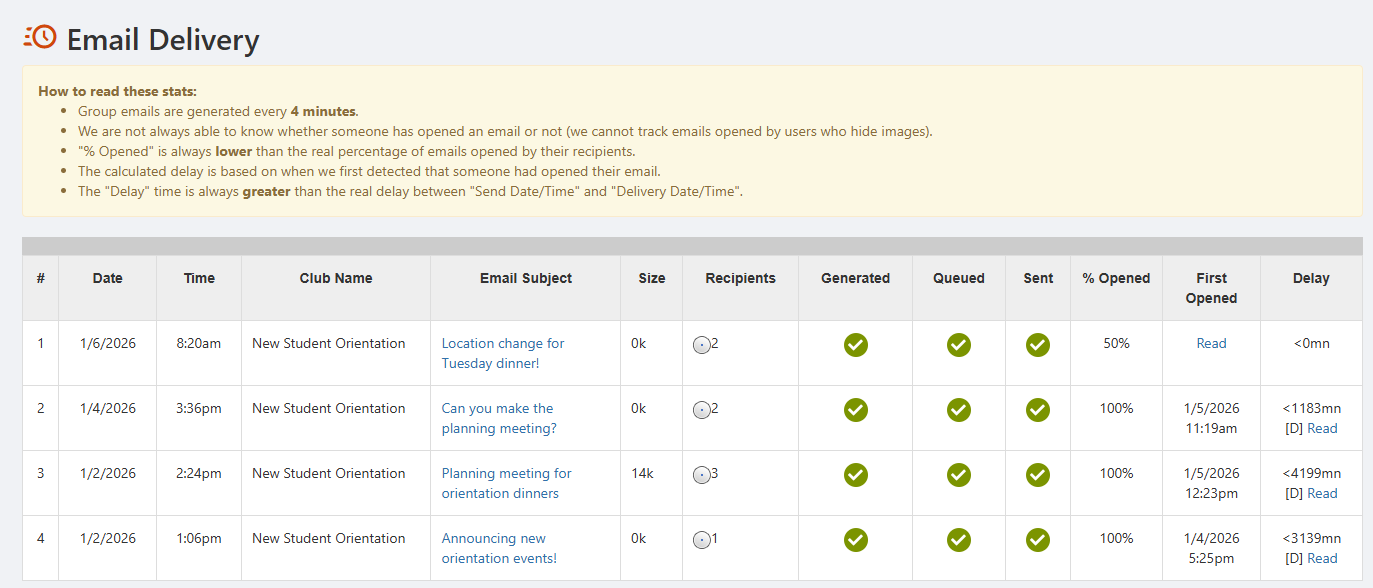
To see delivery details on all sent group emails, start by managing your group Managing Sent Emails. Open Emails along the left and click Delivery Status.

The Email Delivery table lists each sent email along with send date and time, size, % opens, first opens, and sending delay.